Getting Started with Vangrd: Connect an Account and Launch Automation
Vangrd runs your account on its servers, and you control it through the dashboard. Read how the cloud Travian bot works before you connect your first account.
Add your first account
Open Accounts and click Add Account to connect a Travian server.
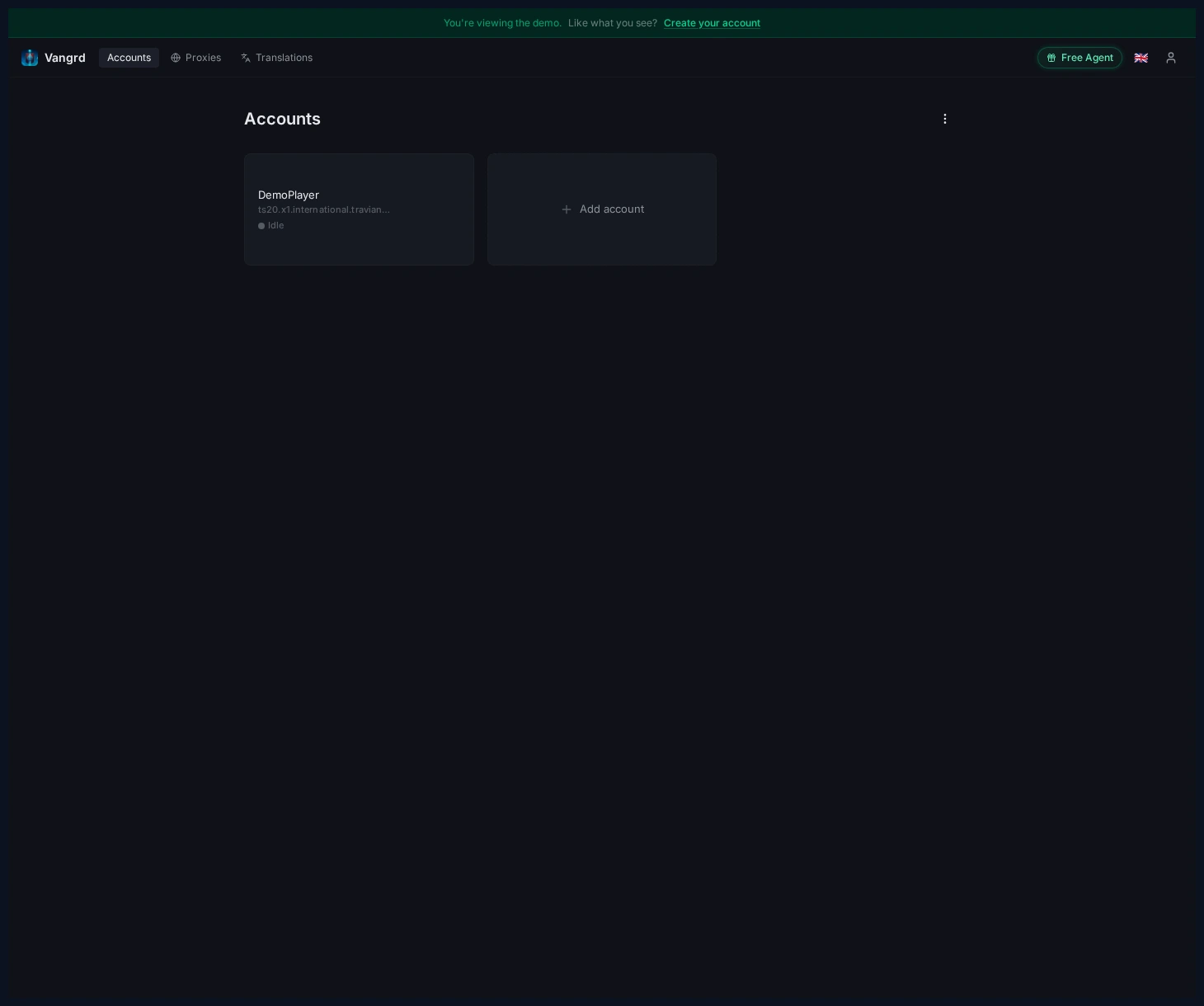
Fill the account form
Enter your server URL, credentials, game version, and agent settings in one dialog.
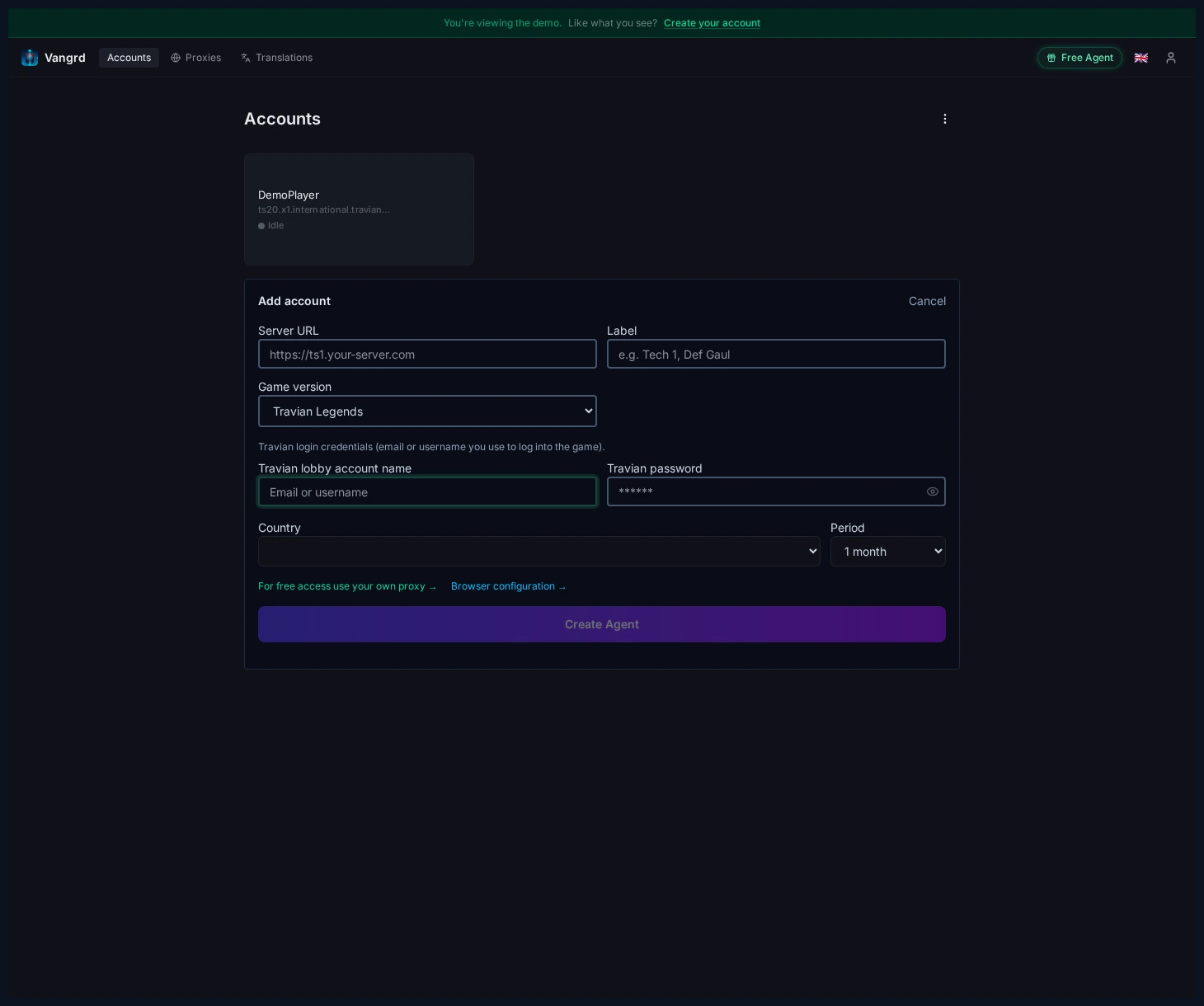
Country+Periodconfigure the agent's dedicated residential IP location and billing period.Labelnames the account in the sidebar. Use the role, not just the server name.
Check the dashboard first
Before enabling anything, confirm the scheduler is running and the account connected cleanly.
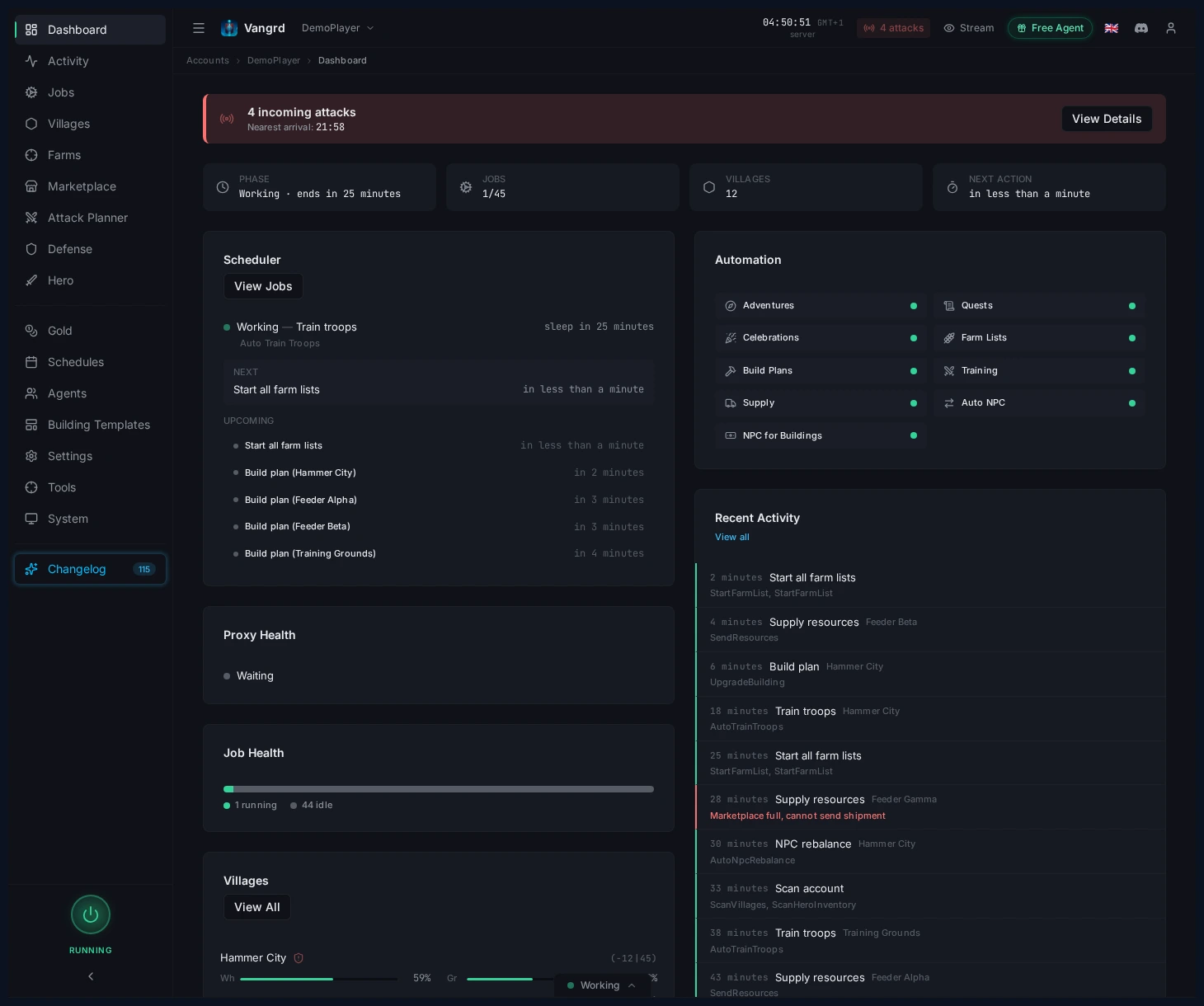
- Resolve any warning banners first.
- Use the dashboard cards to spot empty queues, storage pressure, or incoming attacks.
Turn on your first automations
Four pages cover most of what you need:
- Villages > Development holds build plans, field targets, and templates.
- Farms > Farm Lists holds raid schedules, target scans, and oasis clearing.
- Villages > Automation holds troop training, healing, and settler settings.
- Automation > Supply / Auto NPC holds economy routing and resource balancing.
Build from one safe loop
A solid first pass is simple:
- Set a build plan for your main village.
- Create or import one farm list and scan its targets.
- Enable troop training on the village that feeds that list.
- Add supply or NPC only after the first three are stable.
For the next steps, use the Building Queue guide, Farm List guide, and Troop Training guide.
Frequently asked questions
What do I need to connect a Travian account?
Open Accounts > Add Account and enter your server URL, login, game version, and agent settings. Country and Period set where the account's dedicated residential IP sits and how it is billed.
What should I check before turning on automation?
Open the dashboard and confirm the scheduler is running and the account connected cleanly. Clear any warning banner first, then read the cards for empty queues, storage pressure, or incoming attacks.
Which automation should I turn on first?
Start with a build plan for your main village. Add one farm list and scan its targets, turn on troop training in the village that feeds that list, and only add supply or NPC once those three run without trouble.
Where do I find each automation?
Villages > Development holds build plans, field targets, and templates. Farms > Farm Lists holds raiding and oasis clearing, Villages > Automation holds troop training, healing, and settlers, and Automation > Supply / Auto NPC holds the economy.
Can I run more than one account?
Yes. Every account gets its own card on the Accounts page with its own agent, schedule, and label. Name the label after the account's role rather than the server so the sidebar stays readable.
Vangrd is a Travian bot that runs your account from the cloud, 24/7. Before you choose, see the best Travian bot 2026 comparison.
More guides
Travian Bot Status: See What Your Bot Does and Why
Use the Vangrd Status page to see what your Travian bot runs now, what runs next, why a job did not run, and what the agent saw when a run failed.
Travian Bot Schedules: Natural, Fixed, Agents, and Safety
Choose Natural or Fixed schedules, read achieved coverage, and align agent timezones, browser locale, and randomized browsing in Vangrd.
How to Build Custom Automation Workflows in Travian
Chain actions, branch on conditions, and loop over villages, then run your automation on a timer, a schedule, or on demand with Vangrd workflows.