Travian Auto Builder: Automate Building Queues and Upgrades
Vangrd's Travian auto builder follows a build plan for each village. Set the target levels, choose shared defaults, and use village overrides where a plan needs different behavior.
Build plans live on Village Development
Manage each village's build queue under Villages > Development.
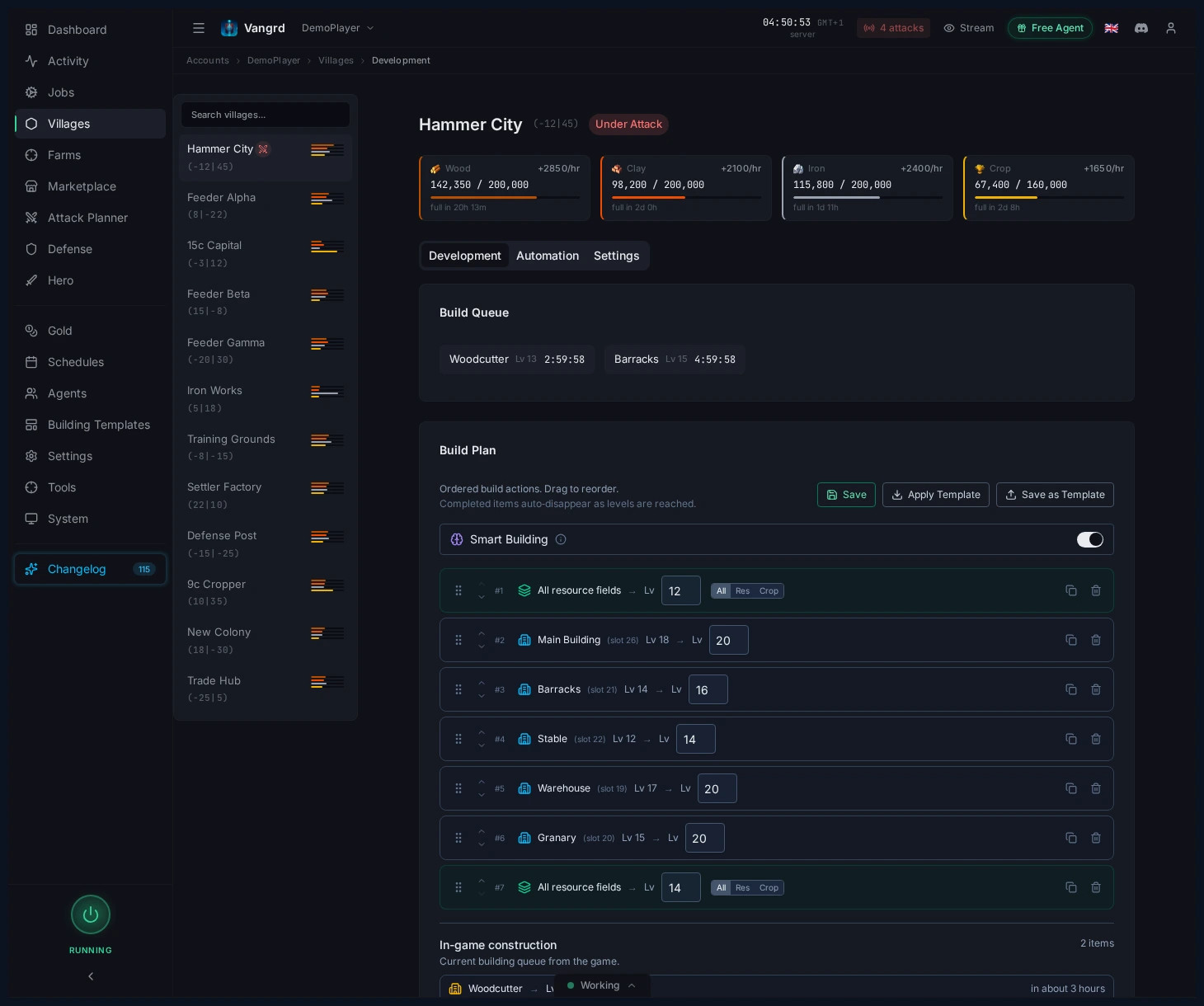
Build Planis the ordered list Vangrd works through for that village.Demolish Planis a separate list for teardown jobs.- Reorder, duplicate, and remove entries directly from the village plan.
Put required buildings before the new construction that needs them. Use separate plan entries when an exact building order matters. For broad field growth, use a field target instead of repeating every slot. Check the current queue before you change targets, because Vangrd accounts for upgrades already in progress.
Use the village map to place targets
Click slots on the village map to seed or adjust a plan fast.
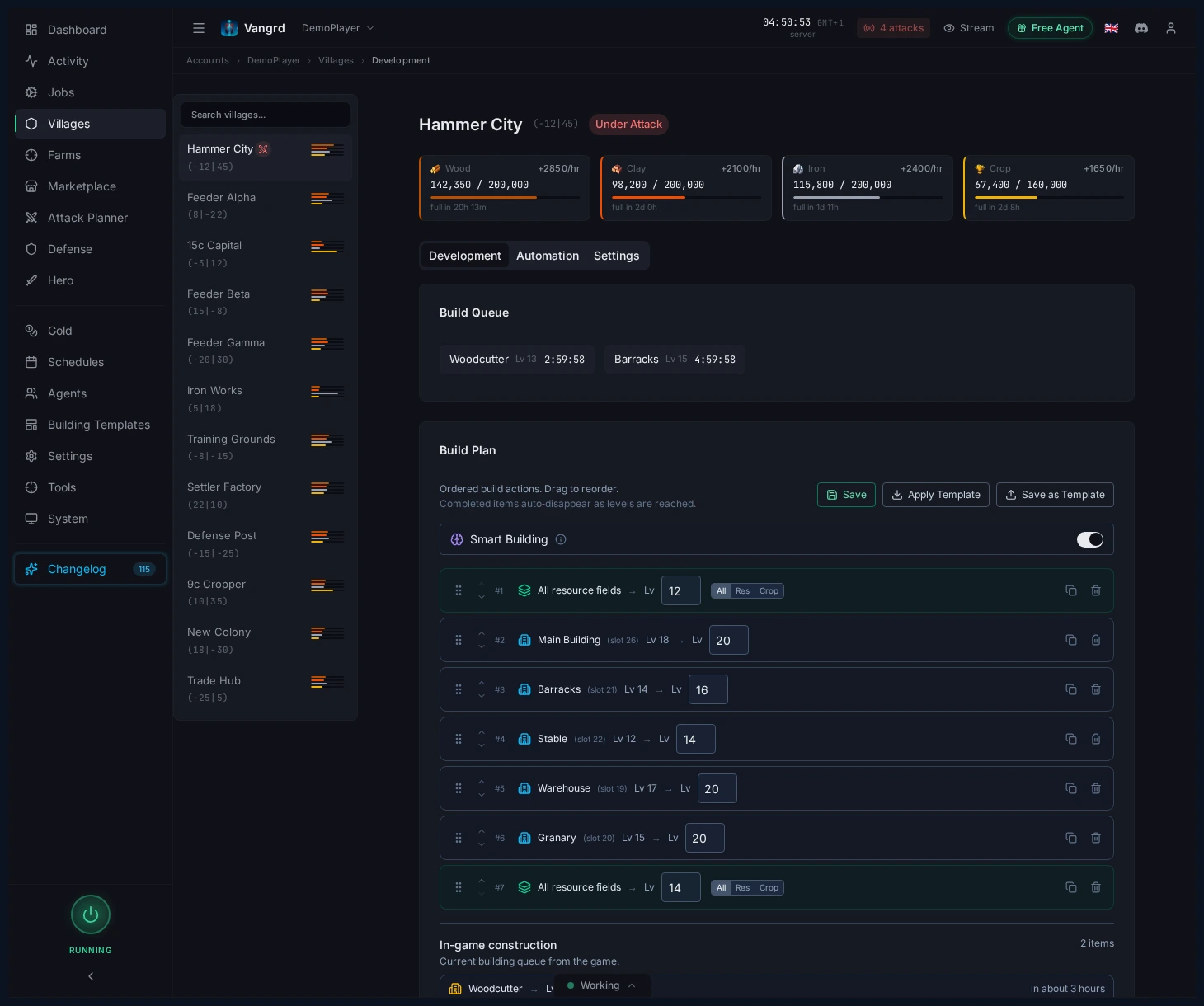
- Add specific buildings from the map when shaping a new village.
- Use field targets for broad resource-field progression without listing every slot.
- Check queued targets against the live layout before saving a template.
Tip: Keep one clean starter plan per village type and copy it instead of rebuilding from scratch.
How the auto builder picks the next upgrade
Vangrd checks the plan against the village's buildings, resources, storage capacity, and available queue space. An entry that already meets its target does not need another upgrade.
Check prerequisites and resources
Before new construction, Vangrd checks whether the required buildings have reached their required levels. A building still under construction does not count as a completed prerequisite. Place prerequisite upgrades earlier in the plan so the next construction can become eligible.
Smart Building lets Vangrd continue with a ready entry while another entry waits. For example, a field upgrade can continue while a more expensive building needs more resources. Vangrd still checks the selected entry's cost and queue space before it sends the upgrade. If every entry needs more resources, the plan waits until an upgrade becomes affordable.
Resolve a storage block
A storage block means an upgrade costs more of a resource than the village can hold. Wood, clay, and iron use Warehouse capacity. Crop uses Granary capacity.
With Auto-upgrade storage enabled, Vangrd selects a storage upgrade before the blocked build. It checks existing storage buildings and eligible new storage construction. The choice depends on the missing capacity, upgrade cost, and available resources. After the storage upgrade, Vangrd can continue the original plan when its cost fits.
A full Warehouse alone does not mean that a build needs more capacity. Check whether the planned cost exceeds capacity before you add storage to a template. Hero resources cannot solve a capacity block, because the village still needs room to hold the required resources.
Use the right queue lane
Romans have separate lanes for resource fields and village buildings. Vangrd checks the lane for the selected upgrade, together with the total queue limit. A busy building lane can still leave room for a resource-field upgrade. Other tribes share their available queue space between fields and buildings. The village's tribe determines this behavior. You do not need to set a Roman lane switch.
Set account defaults on Build Plans
Configure shared build behavior on the Build Plans page.
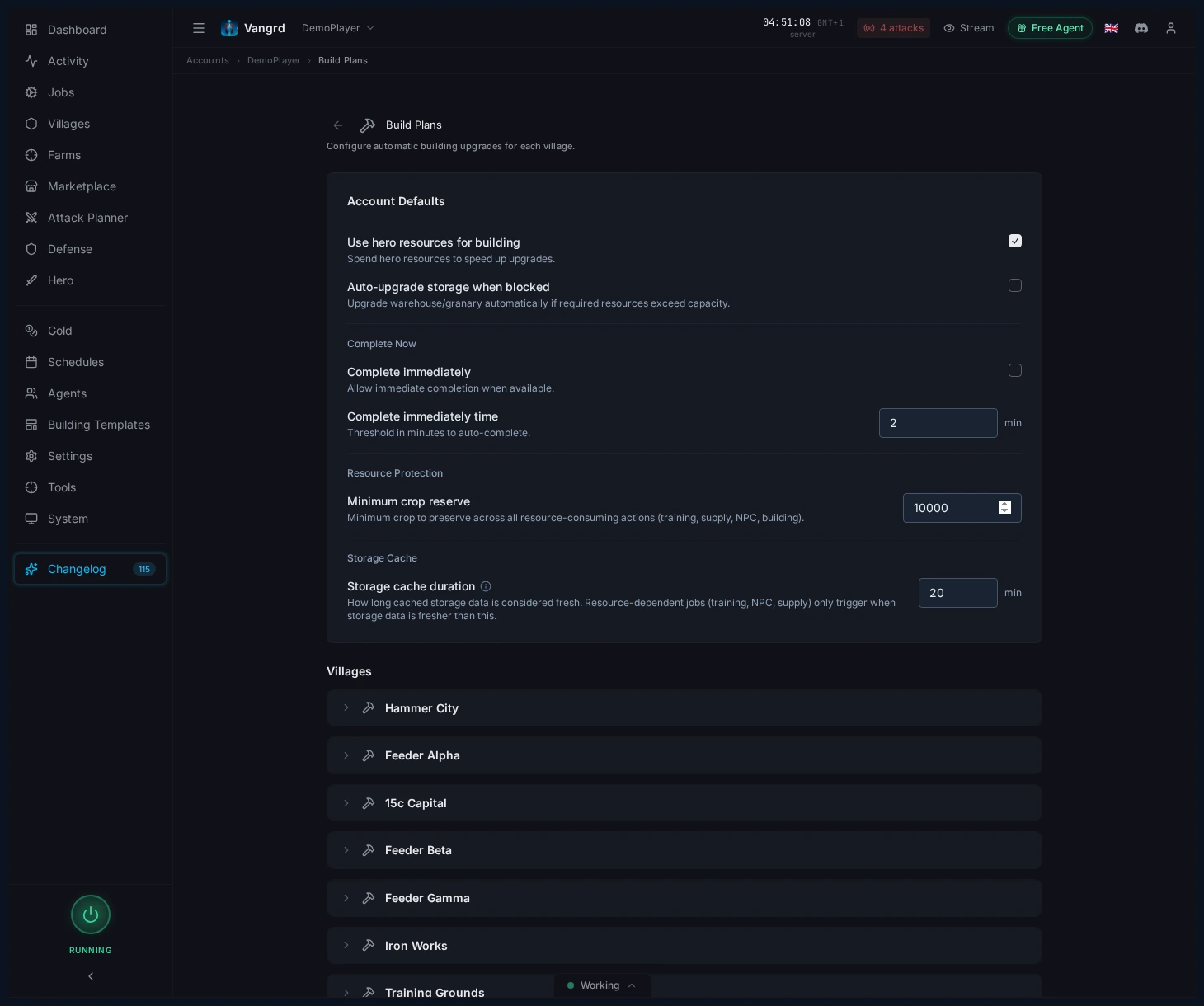
Smart Buildinglets cheaper ready items continue while expensive upgrades wait.Use hero resourcesdraws from the hero inventory for build jobs.Special upgradetoggles the extra upgrade path when supported.Auto-upgrade storageprevents queues from stalling on warehouse or granary caps.Complete immediatelydefines when gold can finish long upgrades.Minimum crop reserveprotects the crop needed for upkeep.
Set defaults before you apply the same build policy across villages. A village can override individual settings while keeping the other account defaults. Use the default again when you want that village to follow later account changes. Review crop reserves in troop villages before you enable resource spending for builds.
Manage reusable templates
Save openers and village archetypes on the Building tab of the Templates page.
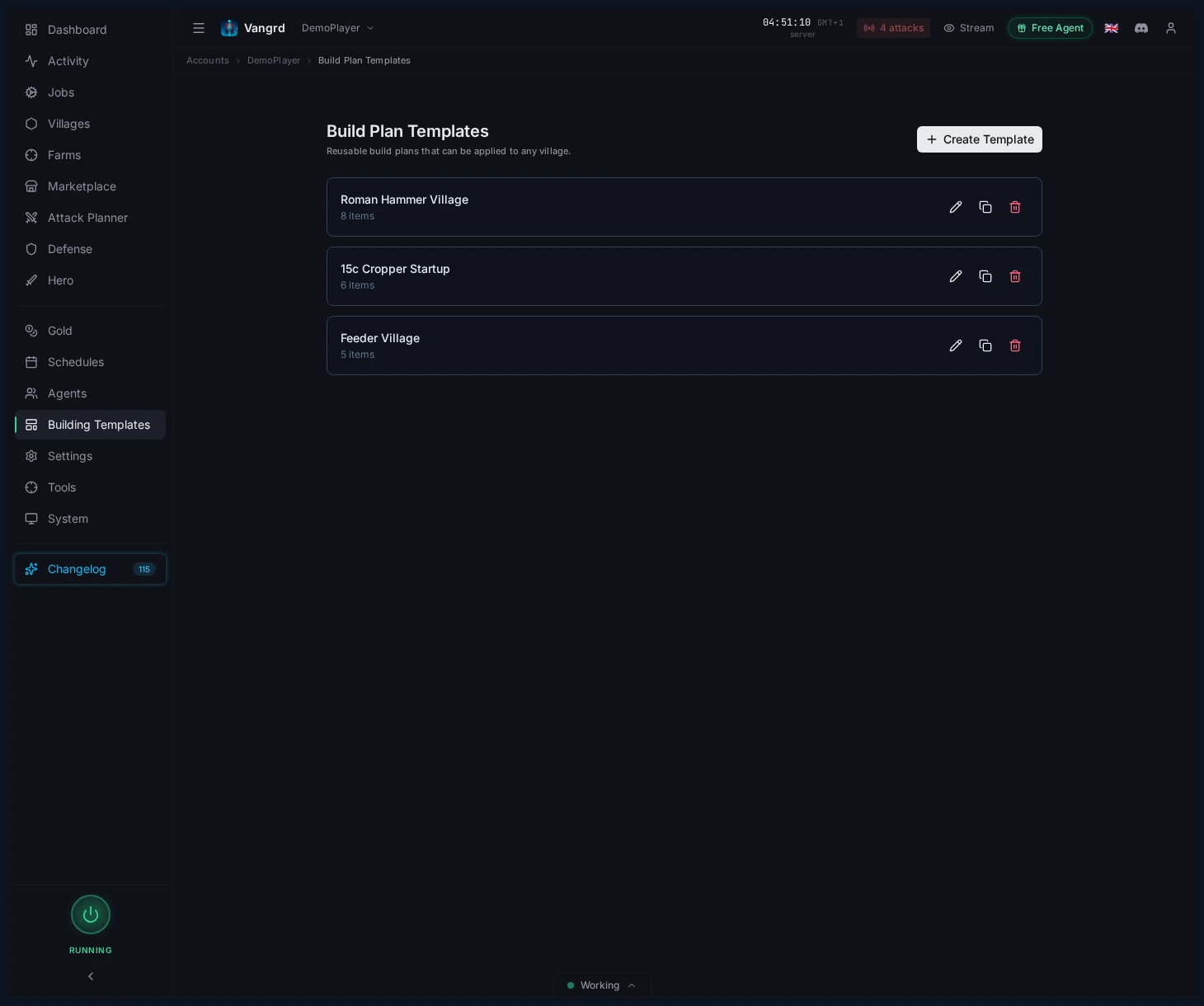
- Create templates from scratch or from an existing village.
- Keep separate templates for capitals, feeders, hammers, and settlers.
- Duplicate and edit variants for slight differences between village types.
Run build plans across many villages
Use account defaults for shared behavior and a separate build plan for each village. This keeps a capital's targets separate from a feeder's targets while both use the same building settings.
- Set shared behavior on
Build Plans. - Save templates for capitals, feeders, hammers, and settlers on the
Buildingtab ofTemplates. - Apply the matching template to each village after you check its tribe and current layout.
- Override village settings where a village needs a different crop reserve or gold policy.
- Review each village's plan and current queue after you apply the template.
For a hammer, keep enough crop for troop upkeep before funding another build. For a feeder, use field targets that match the resources you want it to supply. Keep settlement buildings in the settler template so their targets stay separate from the capital plan. Templates copy plan entries into a village. Review the destination plan when you later change a saved template.
New settlements can use the New village kickstart workflow. The workflow applies a chosen build plan and sets up a supply line when a new village settles. Pick the build template and donor village before you arm the workflow. Then check the workflow's run history after settlement to confirm the actions ran.
Configure supply lines between villages to fund the new village from your donors. A build plan sets the upgrade targets. The supply line moves the resources needed to reach those targets. Review donor reserves so the new village does not take resources you need elsewhere.
Edit and apply templates
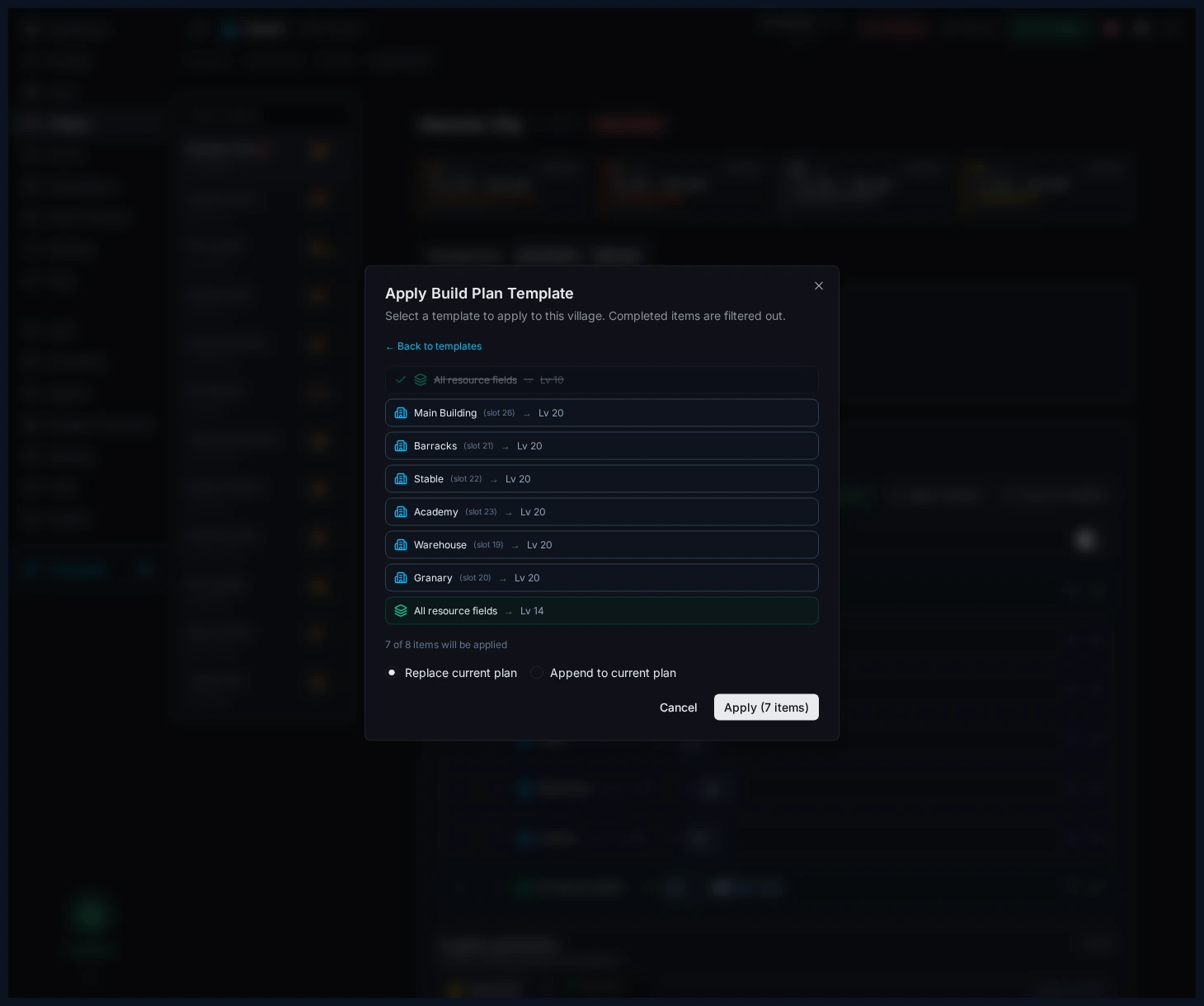
Edit templates with the map UI, then push them into village plans through a preview dialog.
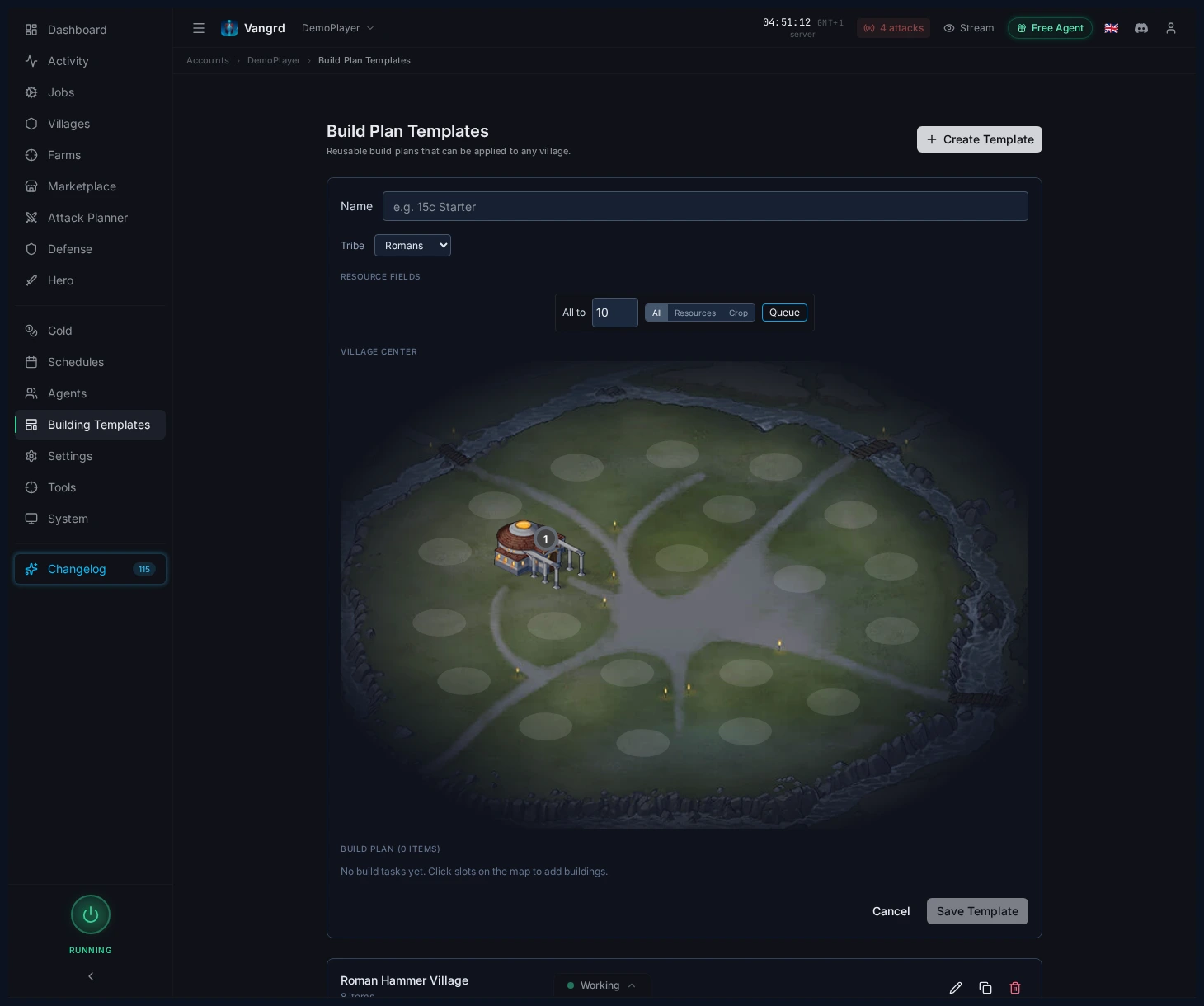
- Pick the tribe before laying out buildings.
- Use bulk field actions to set a target baseline fast.
Apply Templatepreviews the result and lets youReplaceorAppendthe destination plan.
Finish upgrades with gold
Enable Complete immediately when you want Vangrd to spend gold on eligible upgrades. Set Complete immediately time in minutes to control the threshold for automatic completion. Use an account default for shared behavior, or override the setting in an individual village.
- Check the time threshold before you enable automatic completion.
- Keep the setting disabled in villages where you want upgrades to finish normally.
- Use a village override when one build plan needs a different completion policy.
The setting does not make every construction eligible for instant completion. Vangrd checks the game option before it attempts to finish an upgrade. Gold completion also does not provide missing resources or building prerequisites for the next plan entry. Check those requirements when a plan still waits after an upgrade finishes.
For village economy support, pair this with the Resource Supply guide. For first-time setup, start with Getting Started.
Frequently asked questions
Can Vangrd finish upgrades instantly with gold?
Yes, when you enable Complete immediately on the Build Plans page. You define the conditions under which gold is allowed to finish long upgrades, so it only fires where it actually matters.
What does Smart Building do?
Smart Building lets cheaper ready items in the plan continue while expensive upgrades wait for resources. This keeps queues moving instead of stalling on one big item.
Do I have to build every village's plan from scratch?
No. Save openers and archetypes on the Building tab of the Templates page, then apply them to villages via a preview dialog that lets you Replace or Append the existing plan. Romans, Teutons, and Gauls each get their own layouts.
Will the queue stall when my warehouse is full?
Not if Auto-upgrade storage is on. Vangrd upgrades warehouse and granary automatically so queues don't stall on storage caps.
Can Vangrd use my hero's resources for builds?
Yes. Turn on Use hero resources under the account-wide Build Plans defaults and Vangrd draws from the hero inventory when a build job is short.
How do I protect crop for troop upkeep?
Set a Minimum crop reserve on the Build Plans page. Vangrd treats that amount as untouchable when evaluating whether a build job can afford resources.
Vangrd is a Travian bot that runs your account from the cloud, 24/7. Before you choose, see the best Travian bot 2026 comparison.
More guides
Travian Oasis Farming: Clearing, Raiding, and Hero XP
Set up Travian oasis farming end to end: scan nearby oases, clear the animals safely, raid the respawns on a schedule, and level your hero on them.
Travian Defense Bot: Auto-Dodge, Reinforcements, and Attack Alerts
Set Travian defense per village and threat level: auto-dodge, call reinforcements, spend or ship resources, and get Discord or Telegram alerts.
Travian Farm Bot: Automate Farm Lists and Raids
Run Travian farm lists on a schedule with jitter, per-list overrides, loss handling after fatal reports, and yield tuning. Set up the Vangrd farm bot.