Travian NPC Bot: Auto NPC Trades and Supply Lines Automation
Funding links live on the Supply lines page
A funding link ships resources from one village to another when its triggers fire.

- Push links ship from a donor village to a recipient; pull links let a recipient draw from its donors.
- Donor membership on a pull link is the consent to ship -- no separate donate toggle.
Pause/Resumestops a link without deleting it.Copyopens the editor prefilled from an existing link.New funding linkcreates one; direction is fixed after creation.
Pick when a link sends
Each link fires on any combination of three triggers.
Surplus above donor keep-- the donor ships whatever sits above its keep floor.Recipient runs low-- donors refill the recipient when it drops below theMinof its refill band.Build queue can't afford the next upgrade-- donors fund the recipient's build queue.
Cap shipments with link limits
Limits keep donors safe and merchants on worthwhile runs.

Donor keepreserves local stock -- absolute amounts or a percent of storage.Min shipmentprevents tiny runs that waste merchants.Repeat intervalsets the seconds between shipments.Max convoys at oncecaps shipments in flight; empty or 0 means no limit.
Tip: Set donor keep as a percent of storage on growing feeders -- the floor scales with their warehouses.
Review your migrated links
Old supply settings were converted into funding links automatically.

- The banner lists links derived from your old routes and fill bands.
- Flag chips mark links that were merged or had inverted bands.
- Edit a link to clear its flags;
Dismisshides the banner.
Balance villages on the Auto NPC page
Auto NPC handles two jobs: normal rebalancing and crop emergency handling.
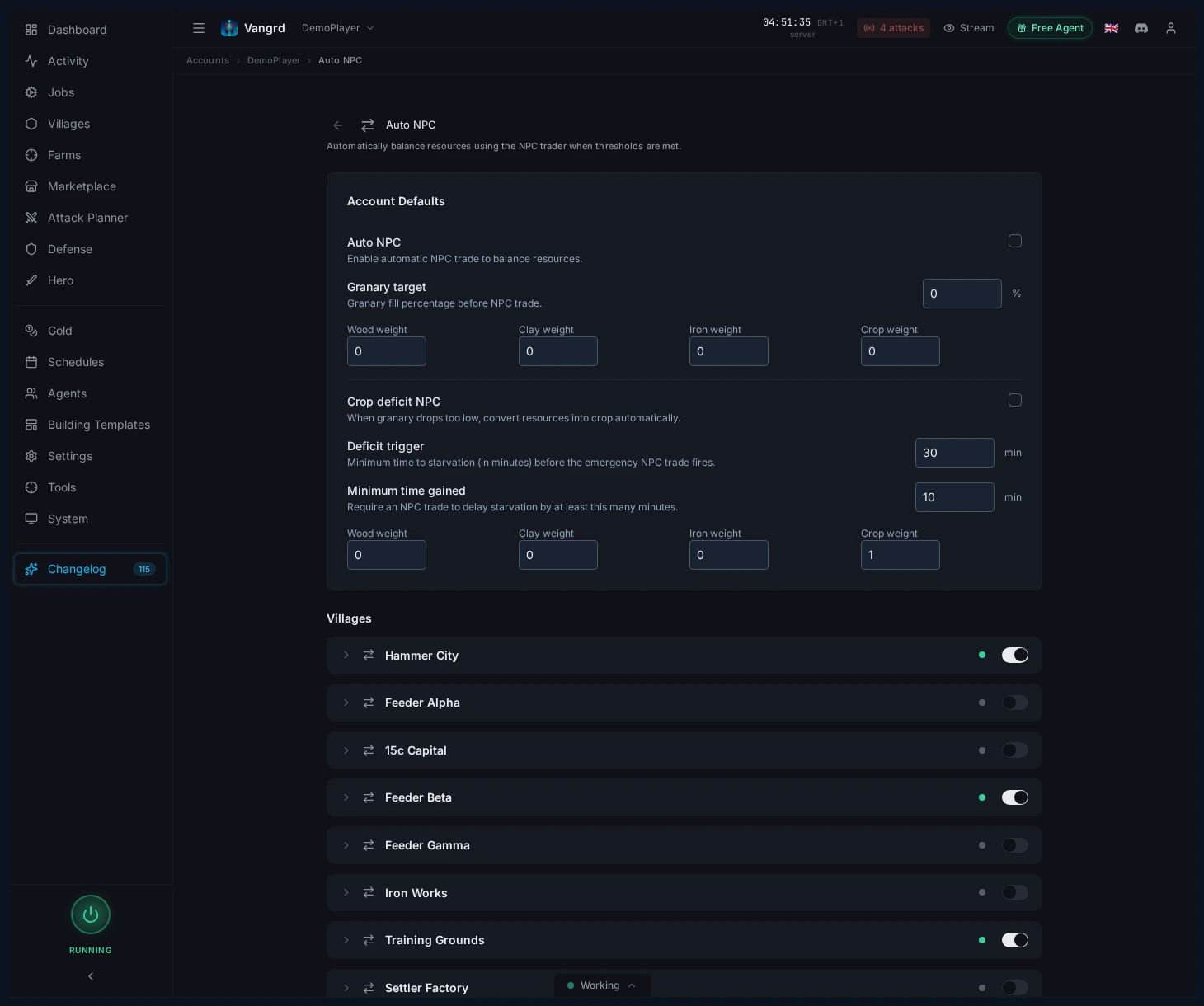
Auto NPCrebalances resources when the village hits theGranary target.- Resource weights control the mix after each NPC trade.
Crop deficit NPCfires when crop upkeep outpaces production.Deficit triggersets how close to starvation before it kicks in.Minimum time gainedstops emergency NPC from burning gold on tiny extensions.- Crop-deficit weights can differ from normal balancing weights.
Tip: Use different weights for normal and crop-deficit NPC -- they solve different problems.
Cap account-wide activity in Account Settings
The links define behavior; the account pages define limits.
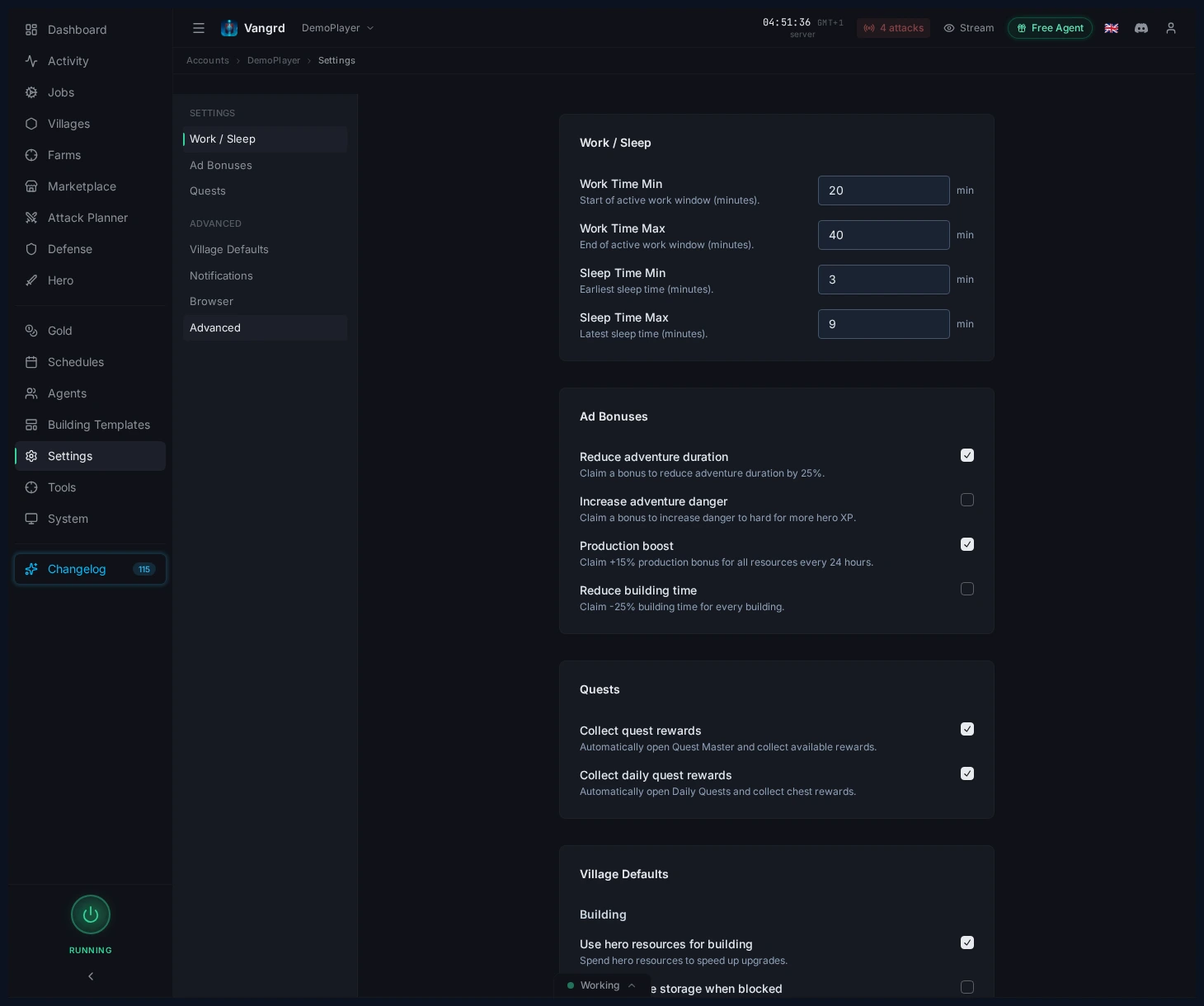
Use NPC for buildingslets the build queue trigger NPC trades.NPC max uses per hourcaps gold spend across the whole account.Shipments max per hourlimits merchant traffic to a safe rate.
Make the economy layers work together
A stable setup works in layers:
- Feeders hold a local floor via their links'
Donor keep. - Push links ship surplus to the target village on a repeat interval.
- Pull links top the village up when it runs low.
- The target village runs
Auto NPCto correct the resource mix. Crop deficit NPCcatches starvation emergencies only.
For queue support, pair this with the Building Queue guide. For broader account setup, see Getting Started.
Frequently asked questions
What is a funding link?
A funding link ships resources from one village to another when its triggers fire. Push links send from a donor, pull links let a recipient draw from its donors, and the direction is fixed once the link exists.
When does a funding link send?
On any combination of three triggers: surplus above the donor keep, the recipient dropping below the Min of its refill band, and the recipient's build queue not affording its next upgrade.
How do I stop a donor from emptying itself?
Donor keep reserves local stock as an absolute amount or a percent of storage. Min shipment blocks tiny runs that waste merchants, and Max convoys at once caps how many shipments are in flight.
What does Auto NPC do?
It rebalances a village once stock hits the Granary target, using your resource weights to decide the mix after each NPC trade.
What handles a crop shortage?
Crop deficit NPC fires when crop upkeep outpaces production. Deficit trigger sets how close to starvation it waits, and Minimum time gained stops it burning gold for a few extra minutes.
How do I cap gold spend and merchant traffic?
Account settings hold the ceilings. NPC max uses per hour caps gold spend across the whole account and Shipments max per hour limits merchant runs.
Vangrd is a Travian bot that runs your account from the cloud, 24/7. Before you choose, see the best Travian bot 2026 comparison.
More guides
Travian Market Bot: Buy Resource Offers Automatically
Let Vangrd read the marketplace in every village and take the offers worth taking, with merchant reserves, a live preview, and per-village rules.
Travian Oasis Farming: Clearing, Raiding, and Hero XP
Set up Travian oasis farming end to end: scan nearby oases, clear the animals safely, raid the respawns on a schedule, and level your hero on them.
Travian Defense Bot: Auto-Dodge, Reinforcements, and Attack Alerts
Set Travian defense per village and threat level: auto-dodge, call reinforcements, spend or ship resources, and get Discord or Telegram alerts.