Travian Bot Schedules: Natural, Fixed, Agents, and Safety
Choose Natural or Fixed
The Schedules page offers two modes. Pick one per account.
- Natural plans new session times for every day. New accounts start here.
- Fixed repeats the same weekly grid every week.
Switching mode does not delete the other one. Your painted Fixed grid stays where it is while Natural runs, so you can go back at any time.
How Natural sessions work
Natural builds each day from the agent's own timezone.
- Each agent plays two or three sessions a day, four to eight hours in total.
- Sessions change start time and length from one day to the next.
- One long sleep block sits in each 24 hours, and its start time drifts.
- Short breaks split the sessions apart.
- Some days have a gap where the account does not play at all.
With more than one agent, Vangrd spreads the agents around the clock and keeps their sessions from stacking on top of each other.
Tip: Press
Try another patternto plan a different week from the same settings.
Read the seven-day preview
The preview shows one day at a time. Step through the week with the day tabs.
- Achieved coverage is a result, not a target. Sleep, breaks, and gaps subtract from it, so a healthy account rarely reads 100%.
- Average daily coverage is the hours per day the account is in a session.
- Longest quiet period is the biggest stretch with nobody playing.
- Overlap is time two agents are in a session together. Vangrd keeps it small.
- Next refresh is the day the new plan takes over.
Add an agent to raise coverage. Stretching one agent over more hours is not an option Natural offers.
Set agent limits
Limits shape the plan without replacing it.
Allowed hoursbound the window a single agent may play in. It needs at least four and a half hours.Days offmark weekdays that agent never plays. Leave at least one day free.- Every agent uses its own timezone, so a sitter abroad keeps its own clock.
Press Use natural schedule to apply the preview. The plan starts on the next local day for each agent.
Paint weekly windows in Fixed mode
Fixed mode gives you the weekly grid. You decide every slot.
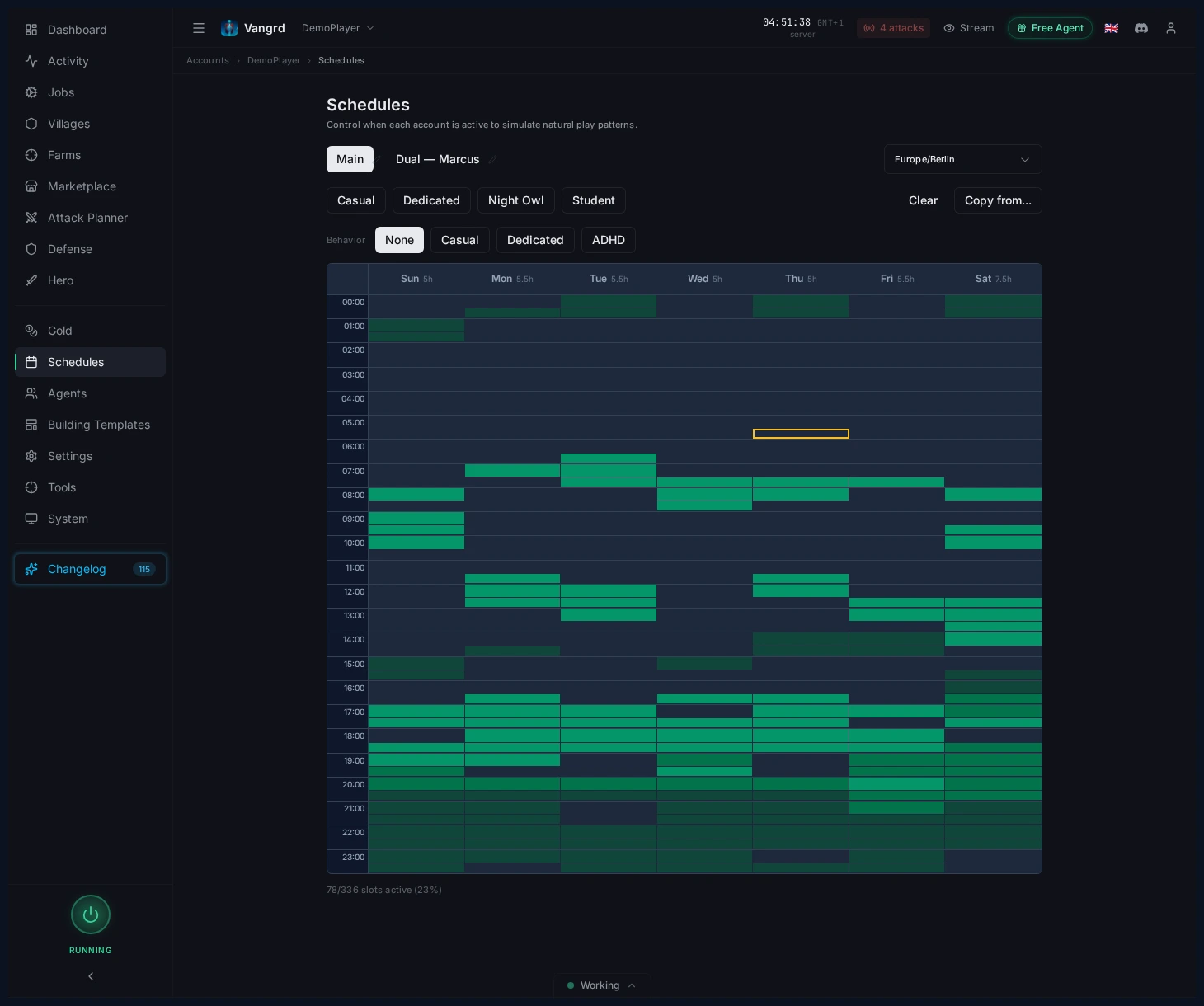
- Set a timezone before painting slots.
- Use preset buttons to generate a baseline fast.
Copy from...clones a schedule to other personas.- Check the active-slot summary at the bottom of the grid.
Layer timing variation on top so handoffs are not exact:
Behaviorpresets apply common timing profiles in one click.Jitter (min)offsets exact handoff timing.Early arrivalandOverstaysoften hard edges around slot boundaries.
Coordinate agents and handoffs
Agents & Sitters lets you see who controls the account and manually intervene in sessions.
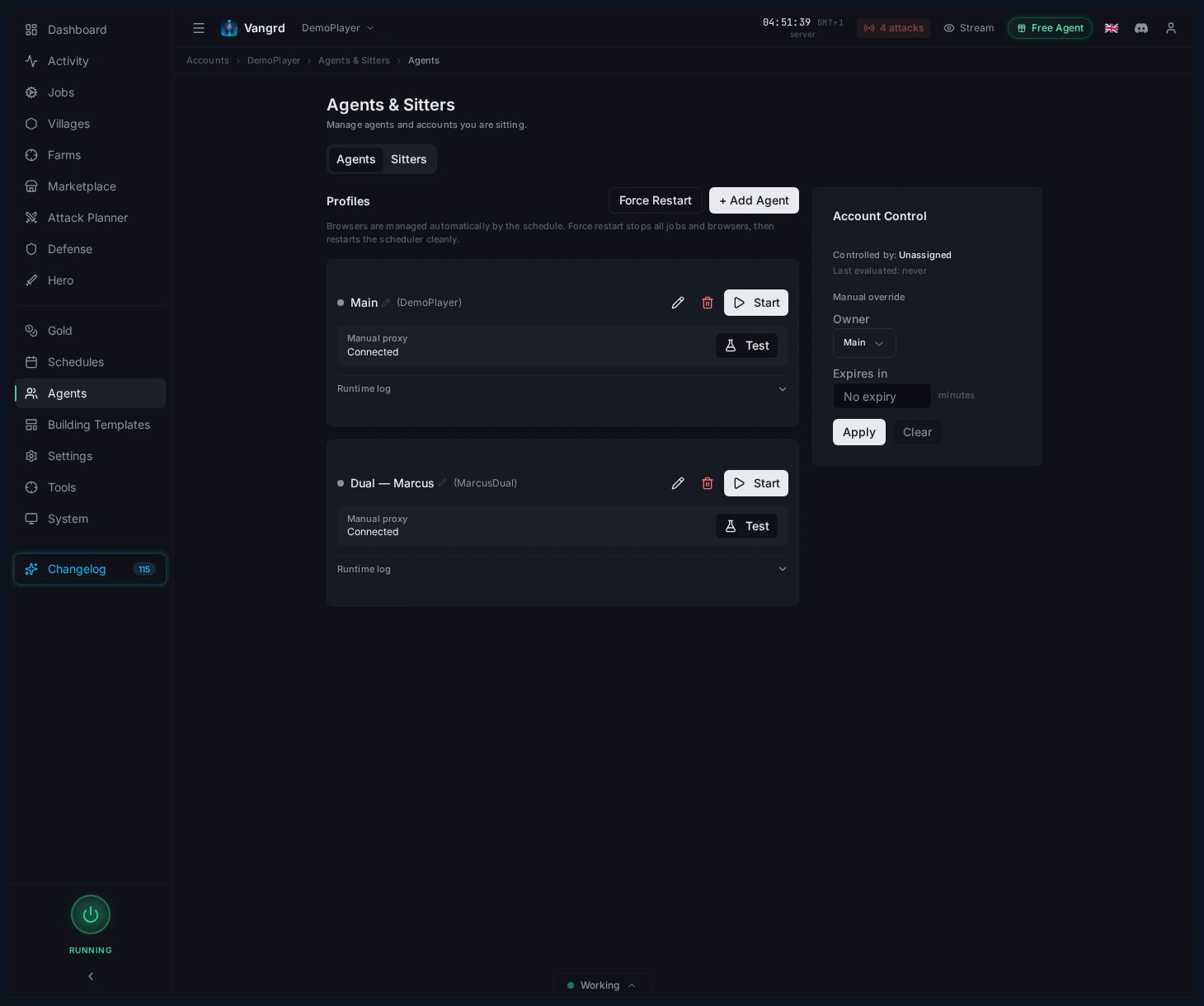
- See which agent controls the account.
- Review which agents are on schedule, waiting, or offline.
- Start and stop agent sessions manually.
- Check agent health -- a flaky agent looks a lot like a broken schedule.
One agent can serve several accounts. Its schedule belongs to the agent, not to the account, so a mode change follows it everywhere. Vangrd names the other accounts before it applies the change.
Align browser and automation settings
Configure the browser fingerprint and interaction patterns for each account.
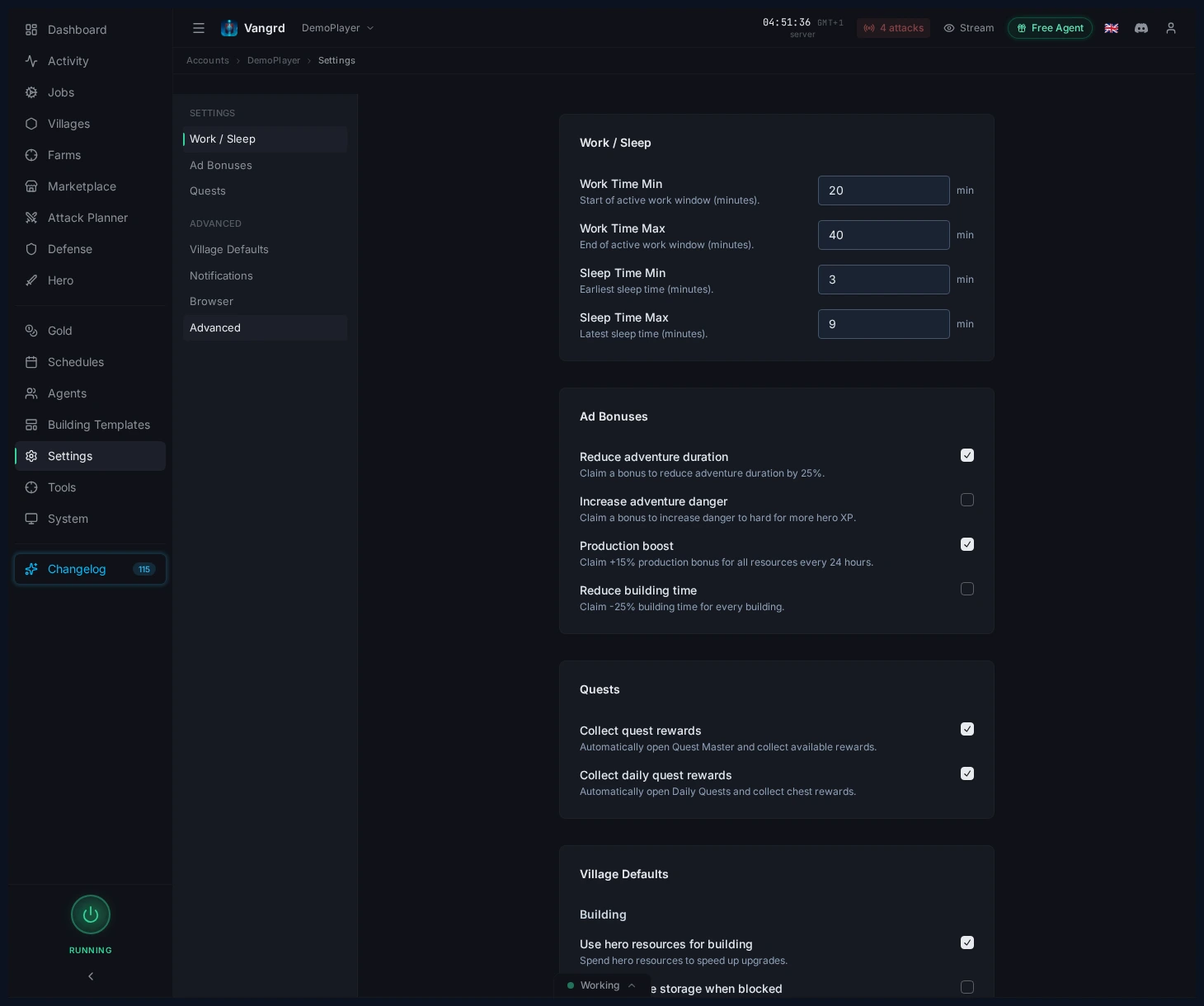
Screen size,Locale, andTimezoneshape the account's browser fingerprint.Game versionkeeps automation aligned with the server UI.Mouse movement speedandMouse randomnesscontrol interaction cadence.Random page visits,Visit interval, andJitteradd passive browsing between tasks.
For initial account onboarding, use Getting Started. If you are configuring defense around your schedules, continue with Automated Defense.
Frequently asked questions
What is the difference between Natural and Fixed schedules?
Natural plans fresh session times for every day from each agent's own timezone, with sleep, breaks, and the odd day off. Fixed repeats the same weekly grid you paint. New accounts start on Natural.
How do I control when the bot plays?
Open the Schedules page and pick a mode. On Natural, set each agent's allowed hours and days off, then press Use natural schedule. On Fixed, set the timezone and paint the weekly grid.
Why does the preview show gaps and less than full coverage?
Natural reports achieved coverage, not a target. Sleep, breaks, and irregular gaps are part of the plan, so a multi-agent account rarely reads 100%. Add an agent if you want more.
What do Agents and Sitters do?
Agents & Sitters shows which agent controls the account right now and which ones are on schedule, waiting, or offline. You can start and stop a session there by hand.
Why does my account sit idle during its window?
Check agent health first, because a flaky agent looks a lot like a broken schedule. On Natural, also check the preview: a rest window or a day off is planned behavior, not a fault.
Which browser settings matter?
Screen size, Locale, and Timezone shape the account's browser fingerprint, and Game version keeps automation aligned with the server UI. Mouse movement speed, Mouse randomness, and Random page visits control how the session moves between tasks.
Vangrd is a Travian bot that runs your account from the cloud, 24/7. Before you choose, see the best Travian bot 2026 comparison.
More guides
Getting Started with Vangrd: Connect an Account and Launch Automation
Add your Travian account, review the dashboard, and turn on your first build, farm, and training automations in Vangrd.
Travian Bot Status: See What Your Bot Does and Why
Use the Vangrd Status page to see what your Travian bot runs now, what runs next, why a job did not run, and what the agent saw when a run failed.
How to Build Custom Automation Workflows in Travian
Chain actions, branch on conditions, and loop over villages, then run your automation on a timer, a schedule, or on demand with Vangrd workflows.