Travian Player Tracker: Watch Players and Find Inactives
For shared reports and enemy dossiers, see alliance intelligence.
Track watched players from one panel
Add rivals, nearby threats, and chiefing targets to a single watch list in Tools > Player Tracking.
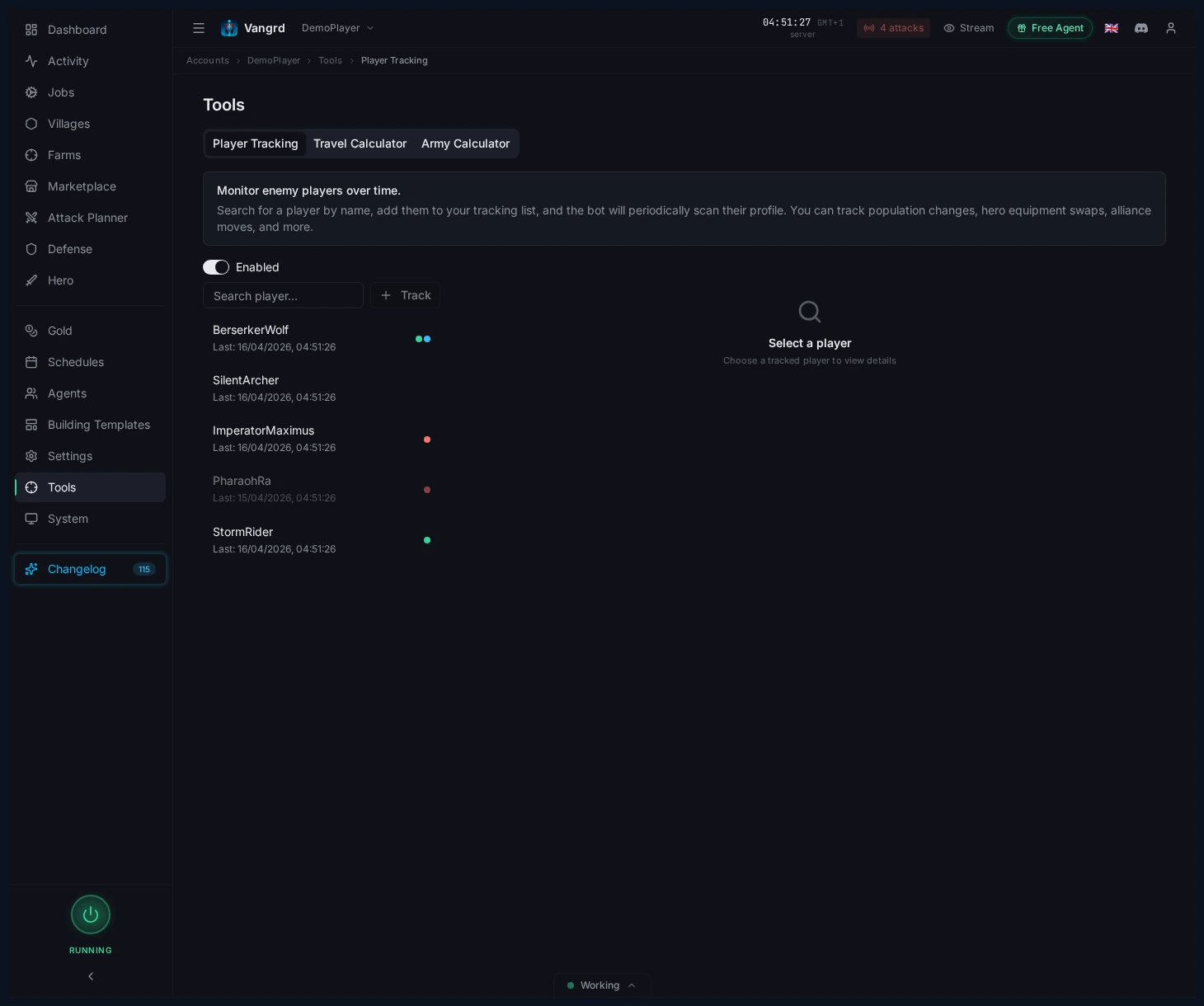
- Tag players with custom labels for fast filtering.
- Select any player to inspect their full snapshot history.
Review a player's current snapshot
Select a player to see stat cards, recent changes, and hero equipment at a glance.
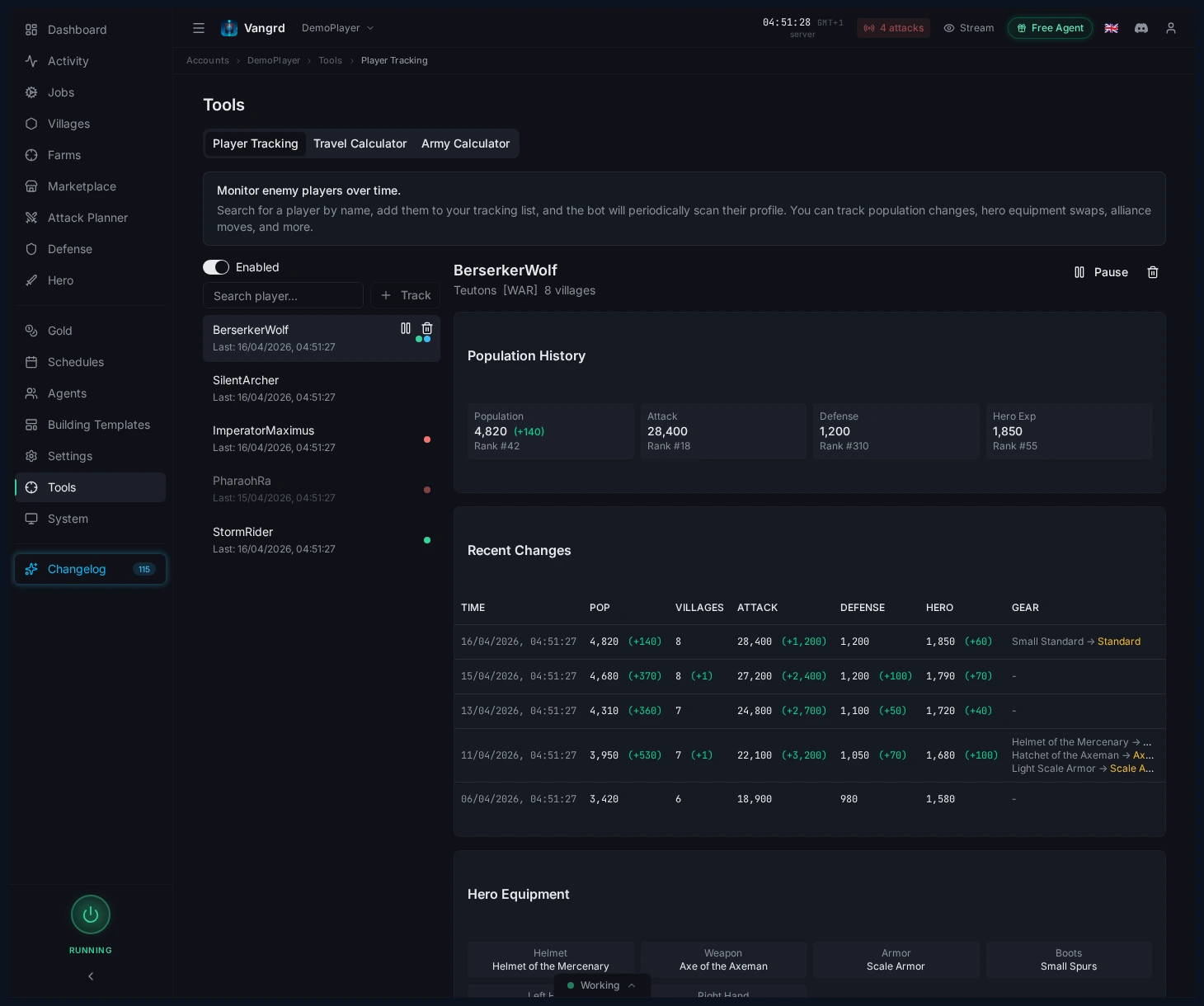
- Watch
Population,Attack,Defense, andHero expfor sudden shifts. - Check village count and recent changes before writing a player off as inactive.
- Spot hero weapon or gear swaps early.
Tip: A flat population line paired with fresh hero gear matters more than rank.
Search nearby villages with Find and Probe
Search the map for inactive players and scouting targets with Find & Probe.
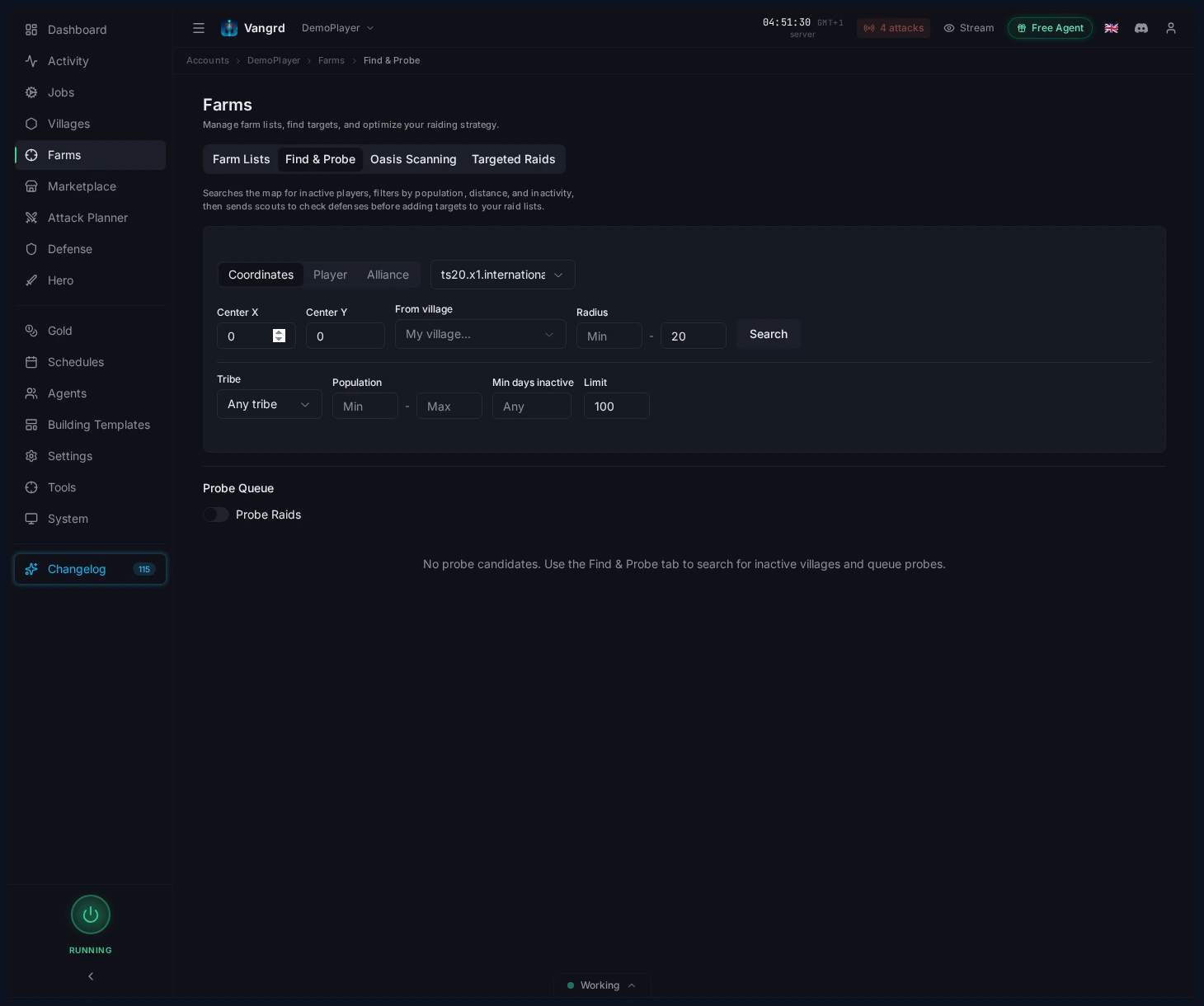
- Search by
coordinates,player, oralliance. - Filter by radius, tribe, population, and inactivity.
- Build a focused shortlist of villages worth scouting.
Queue probes and promote good targets
- Send promising villages into the probe queue.
- Review the queue before sending scouts.
- Promote safe targets directly into your raid flow.
For automated raiding after scouting, continue with the Farm List Automation guide. New users should start with Getting Started.
Frequently asked questions
How do I start tracking a Travian player?
Open Tools > Player Tracking and add the player to the watch list. Tag players with your own labels so rivals, neighbours, and chiefing targets stay easy to filter apart.
What does Vangrd record about a tracked player?
It rescans the profile on a timer and keeps every scan as a snapshot: population, attack and defense ranks, hero experience, village count, alliance, and hero equipment. Select a player to read the history.
How can I tell whether a player is inactive?
Look for a flat population line across several snapshots, then check village count and recent changes before you write the player off. Fresh hero gear on an otherwise quiet account usually means someone is still logging in.
How do I find inactive villages near me?
Use Find & Probe. Search by coordinates, player, or alliance, then filter by radius, tribe, population, and inactivity to build a shortlist worth scouting.
What happens after I scout a target?
Send promising villages into the probe queue and review it before your scouts go out. Safe targets can be promoted straight into your raid flow.
Vangrd is a Travian bot that runs your account from the cloud, 24/7. Before you choose, see the best Travian bot 2026 comparison.
More guides
Travian Oasis Farming: Clearing, Raiding, and Hero XP
Set up Travian oasis farming end to end: scan nearby oases, clear the animals safely, raid the respawns on a schedule, and level your hero on them.
Travian Defense Bot: Auto-Dodge, Reinforcements, and Attack Alerts
Set Travian defense per village and threat level: auto-dodge, call reinforcements, spend or ship resources, and get Discord or Telegram alerts.
Travian Auto Builder: Automate Building Queues and Upgrades
Set village build plans, account defaults, reusable templates, and template application in Vangrd's building automation.