Travian Settler Bot: Auto-Train Settlers and Found New Villages
Open expansion from Village Automation
Configure settler training and settlement from the Village Automation page.
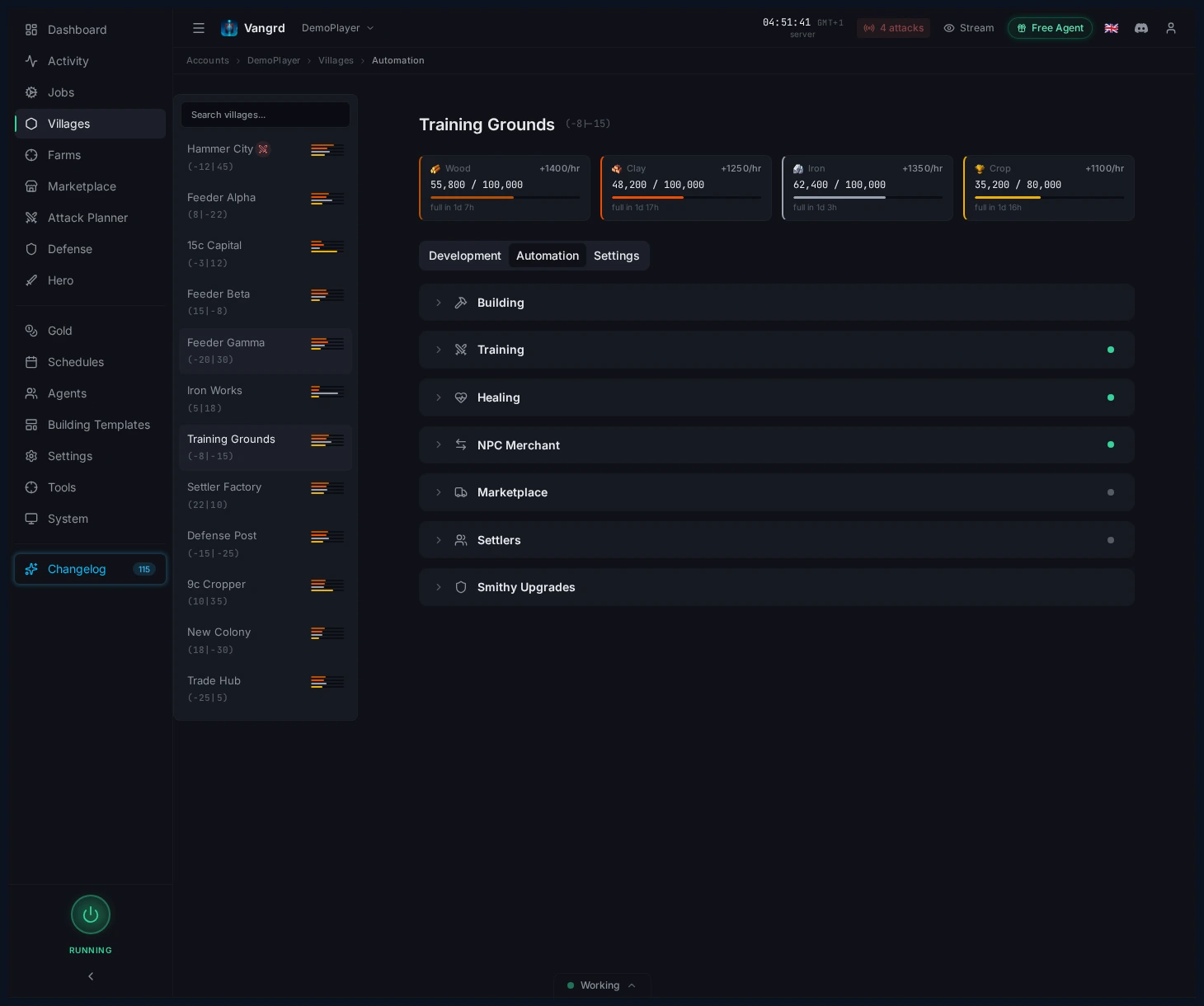
Configure settler training
Open the Settlers section to set up your expansion.
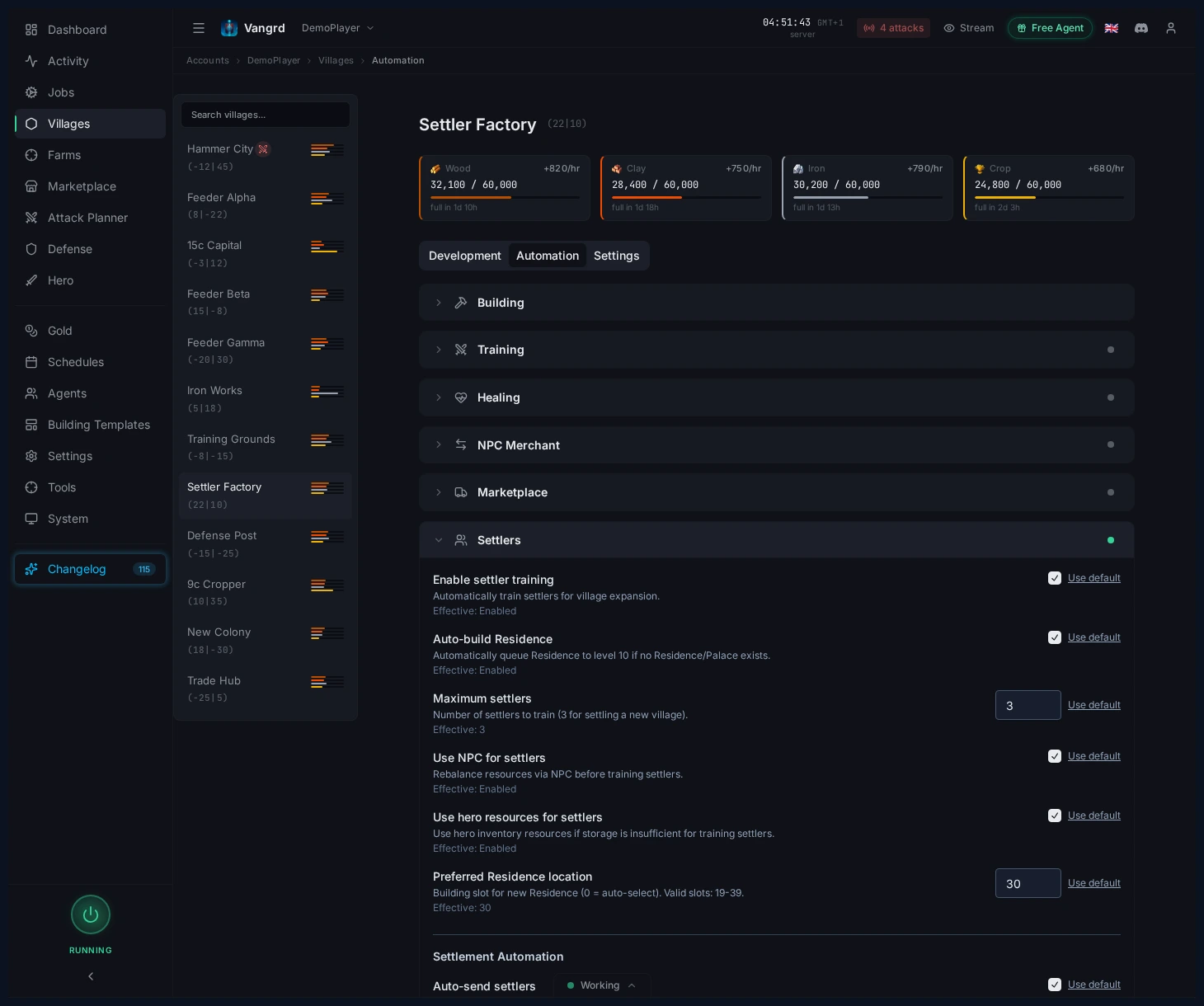
Enable settler trainingturns on settler production for the village.Auto-build Residencebuilds the Residence automatically if missing.Maximum settlerscaps how many settlers it trains before pausing.Use NPC for settlersandUse hero resources for settlersspend extra resources to train faster.Preferred Residence locationlocks the building slot in your build plan.
Tip: Lock the Residence slot early so template application and settler prep do not fight each other later.
Turn on settlement automation
The Settlement Automation section controls when settlers depart.
Auto-send settlersdispatches settlers once the required count is ready.- Enter target coordinates before settlers finish training.
- Leave auto-send off if you only want the village to stockpile settlers for manual use.
Keep the pipeline simple
- Build or reserve the Residence.
- Train settlers with the resource helpers you trust.
- Set the destination coordinates.
- Enable auto-send only when the target village slot is confirmed.
For queue prep around Residence timing, see the Building Queue guide. New users should start with Getting Started.
Frequently asked questions
How do I get Vangrd to train settlers?
Open the village under Villages > Automation and turn on Enable settler training in the Settlers section. Maximum settlers caps how many it trains before it pauses.
What if the village has no Residence yet?
Auto-build Residence builds one when it is missing. Set Preferred Residence location to lock the slot in your build plan so template application does not overwrite it later.
Can settlers train faster?
Use NPC for settlers and Use hero resources for settlers spend extra resources to close the gap. Both are optional, so leave them off if you would rather keep the gold and the hero stock.
Does Vangrd send the settlers on its own?
Turn on Auto-send settlers and enter the target coordinates before training finishes. Vangrd dispatches them once the required count is ready.
Can I train settlers without founding a village?
Yes. Leave Auto-send settlers off and the village stockpiles settlers for you to send by hand.
Vangrd is a Travian bot that runs your account from the cloud, 24/7. Before you choose, see the best Travian bot 2026 comparison.
More guides
Travian Oasis Farming: Clearing, Raiding, and Hero XP
Set up Travian oasis farming end to end: scan nearby oases, clear the animals safely, raid the respawns on a schedule, and level your hero on them.
Travian Defense Bot: Auto-Dodge, Reinforcements, and Attack Alerts
Set Travian defense per village and threat level: auto-dodge, call reinforcements, spend or ship resources, and get Discord or Telegram alerts.
Travian Auto Builder: Automate Building Queues and Upgrades
Set village build plans, account defaults, reusable templates, and template application in Vangrd's building automation.