Travian Attack Planner: Schedule Coordinated Multi-Wave Attacks
To assign operations across members, see alliance operation planning.
Build the plan from source, target, and timing
Set up source, target, timing, and troops in a single form.
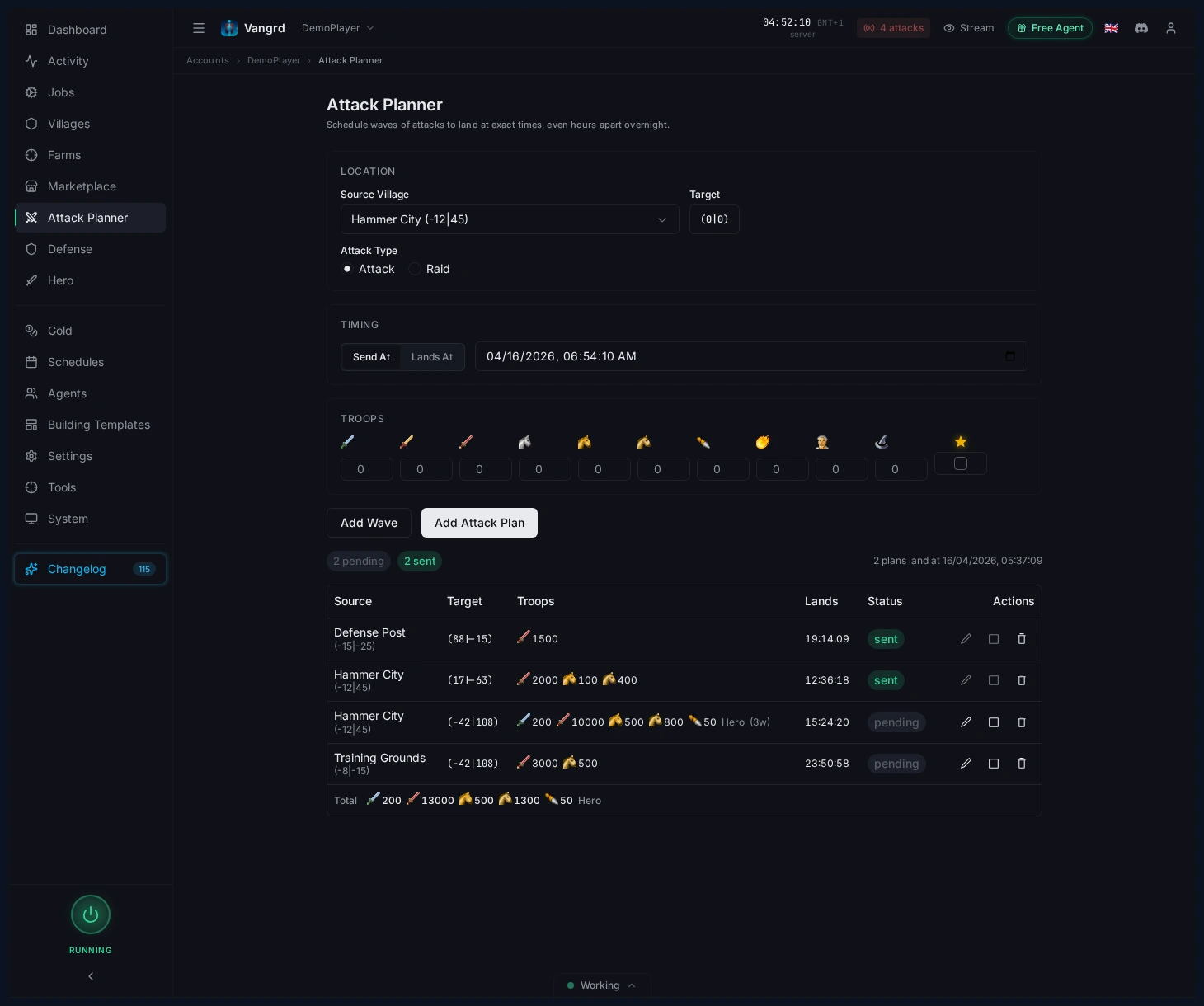
- Pick your
Source Village. - Set target coordinates with the coordinate picker.
- Choose
Attack Typebefore adding waves. - Use
Send Atfor fixed departure orLands Atfor coordinated arrivals. - Check the travel preview before saving.
Queue multiple waves
Stack waves with different troop compositions for a single target.
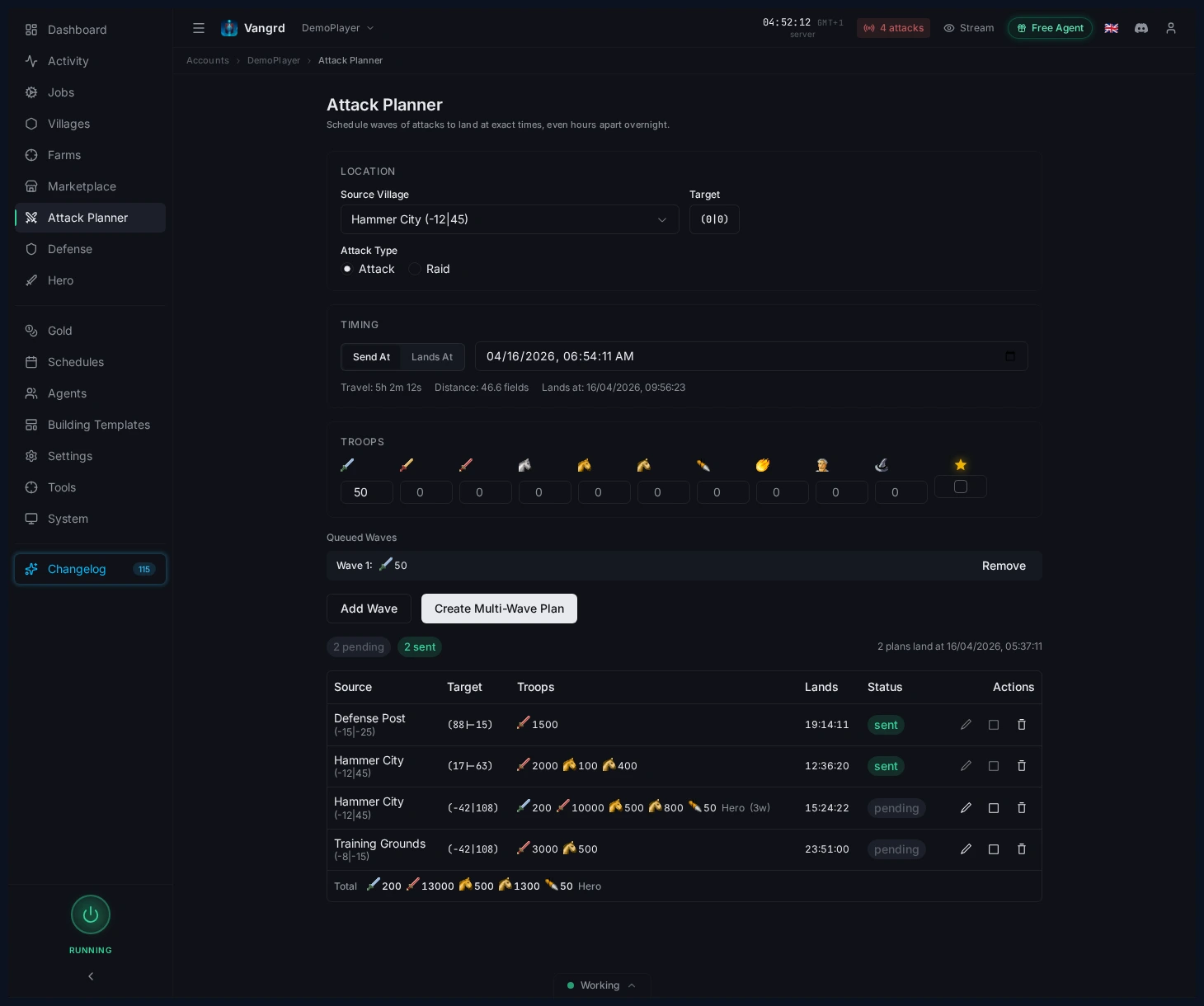
- Enter troop counts, then click
Add Wave. - Assign the hero to only one wave.
- Add catapult targets or scout details when needed.
- Click
Create Multi-Wave Planwhen the queue looks right.
Tip: Use
Lands Atwhen waves from several villages must land together.
Review pending plans in the table
Saved plans stay visible in the planner table until executed.
- Check
Source,Target,Troops,Lands, andStatusbefore the send window. - Expand a row to inspect individual waves.
- Edit, abort, or delete plans directly from the table.
Use the planner for coordination, not guesswork
Let the planner handle timing math so you focus on strategy.
- Prepare each source village separately.
- Use
Lands Atto synchronize arrival times. - Confirm the grouped plan table after saving.
- Execute hands-free at send time.
For protection on the receiving end, use the Automated Defense guide. For scouting and raid pressure around the same targets, see Farm List Automation.
Frequently asked questions
What's the difference between Send At and Lands At?
Send At fixes the departure time and Vangrd computes arrival from the travel preview. Lands At fixes the arrival time and Vangrd computes when to send so the wave lands at the moment you specified.
Can Vangrd coordinate waves from multiple source villages?
Yes. Prepare each source village separately and use Lands At on each wave so arrivals line up. The planner handles the timing math; you just confirm the grouped plan before the send window.
How do I stack multiple waves on the same target?
Enter troop counts for the first wave, click Add Wave, then adjust composition for the next wave. Assign the hero to only one wave, then click Create Multi-Wave Plan when the queue looks right.
Can I edit or cancel a saved attack plan?
Yes. Saved plans stay in the planner table until executed. Expand a row to inspect individual waves, and edit, abort, or delete the plan directly from the table before the send window.
Does the planner send attacks by itself?
Yes, once saved. The planner fires each wave at its computed send time so you don't need to be at the keyboard, but you still review the plan and target coordinates beforehand.
Vangrd is a Travian bot that runs your account from the cloud, 24/7. Before you choose, see the best Travian bot 2026 comparison.
More guides
Travian Oasis Farming: Clearing, Raiding, and Hero XP
Set up Travian oasis farming end to end: scan nearby oases, clear the animals safely, raid the respawns on a schedule, and level your hero on them.
Travian Defense Bot: Auto-Dodge, Reinforcements, and Attack Alerts
Set Travian defense per village and threat level: auto-dodge, call reinforcements, spend or ship resources, and get Discord or Telegram alerts.
Travian Auto Builder: Automate Building Queues and Upgrades
Set village build plans, account defaults, reusable templates, and template application in Vangrd's building automation.