Travian Auto NPC and Supply: Automate Resource Routing
Supply routes live on the Supply page
Configure village-to-village shipments on the Supply page.
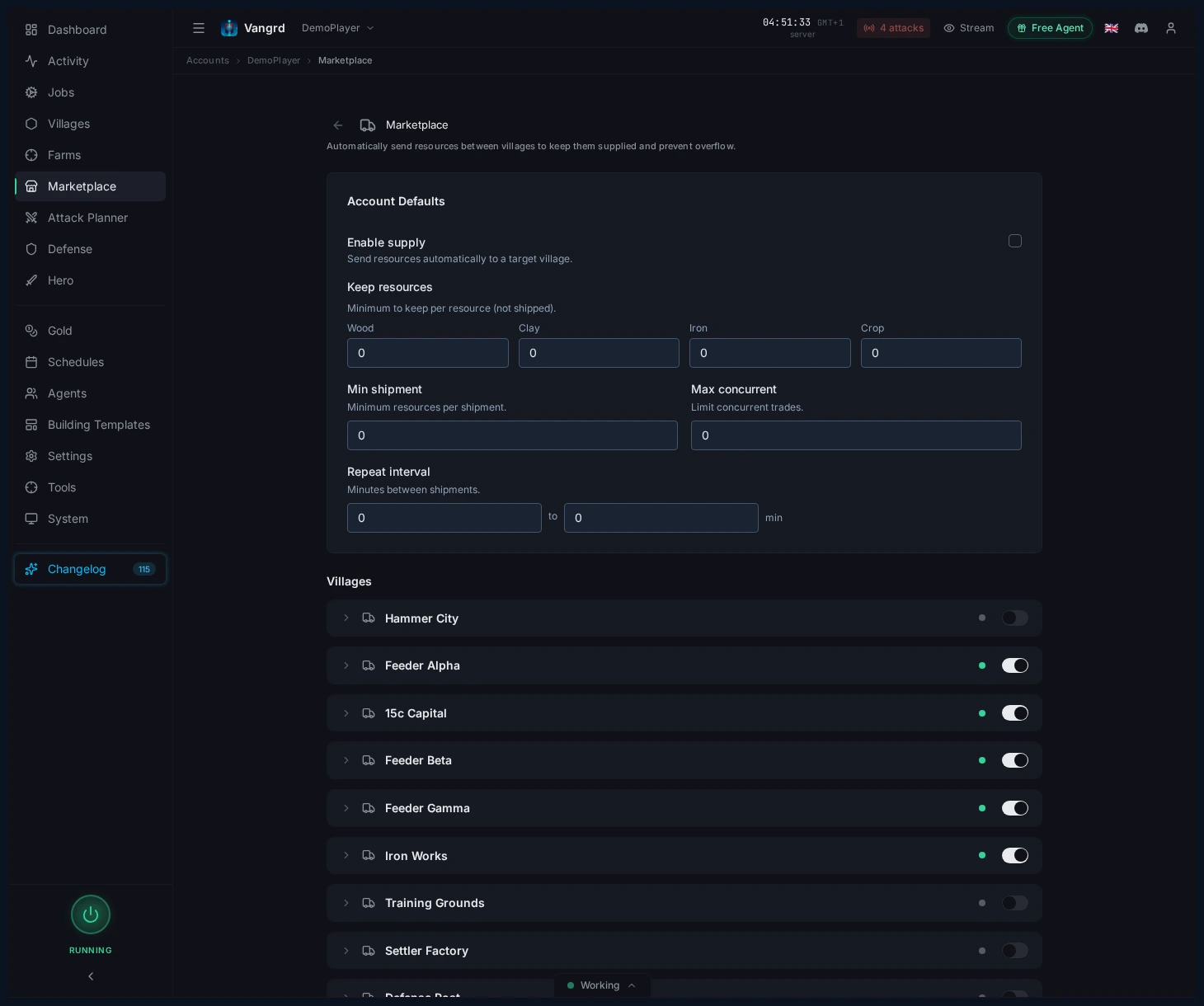
Enable supplytoggles the route for that village.Target villagesets where merchants send surplus.Keep resourcesreserves local stock that should never ship out.Min shipmentprevents tiny runs that waste merchants.Max concurrentcaps how many shipments can be in flight.Repeat intervalsets how often the village checks and sends.
Balance villages on the Auto NPC page
Auto NPC handles two jobs: normal rebalancing and crop emergency handling.
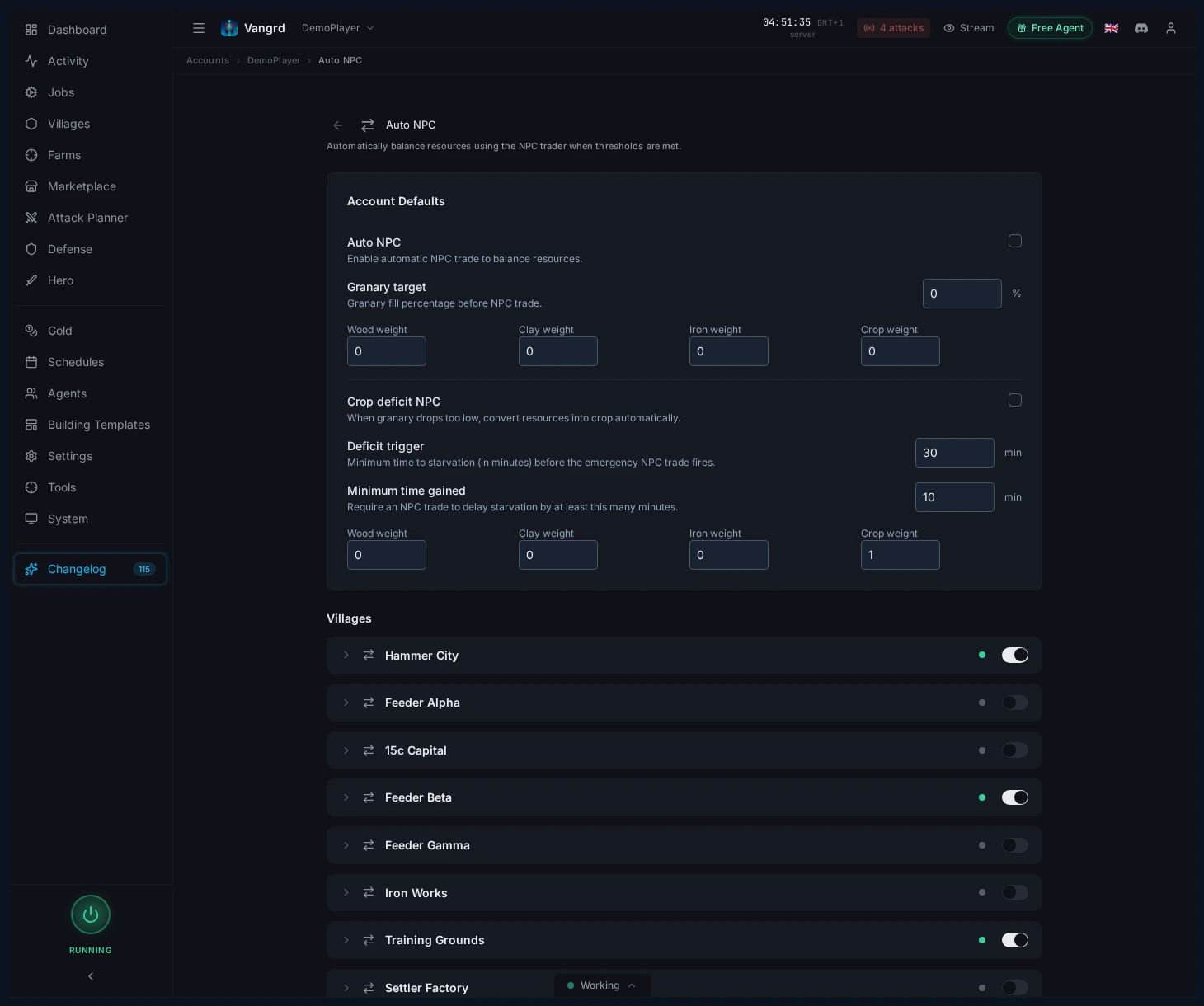
Auto NPCrebalances resources when the village hits theGranary target.- Resource weights control the mix after each NPC trade.
Crop deficit NPCfires when crop upkeep outpaces production.Deficit triggersets how close to starvation before it kicks in.Minimum time gainedstops emergency NPC from burning gold on tiny extensions.- Crop-deficit weights can differ from normal balancing weights.
Tip: Use different weights for normal and crop-deficit NPC -- they solve different problems.
Cap account-wide activity in Account Settings
The village pages define behavior; the account pages define limits.
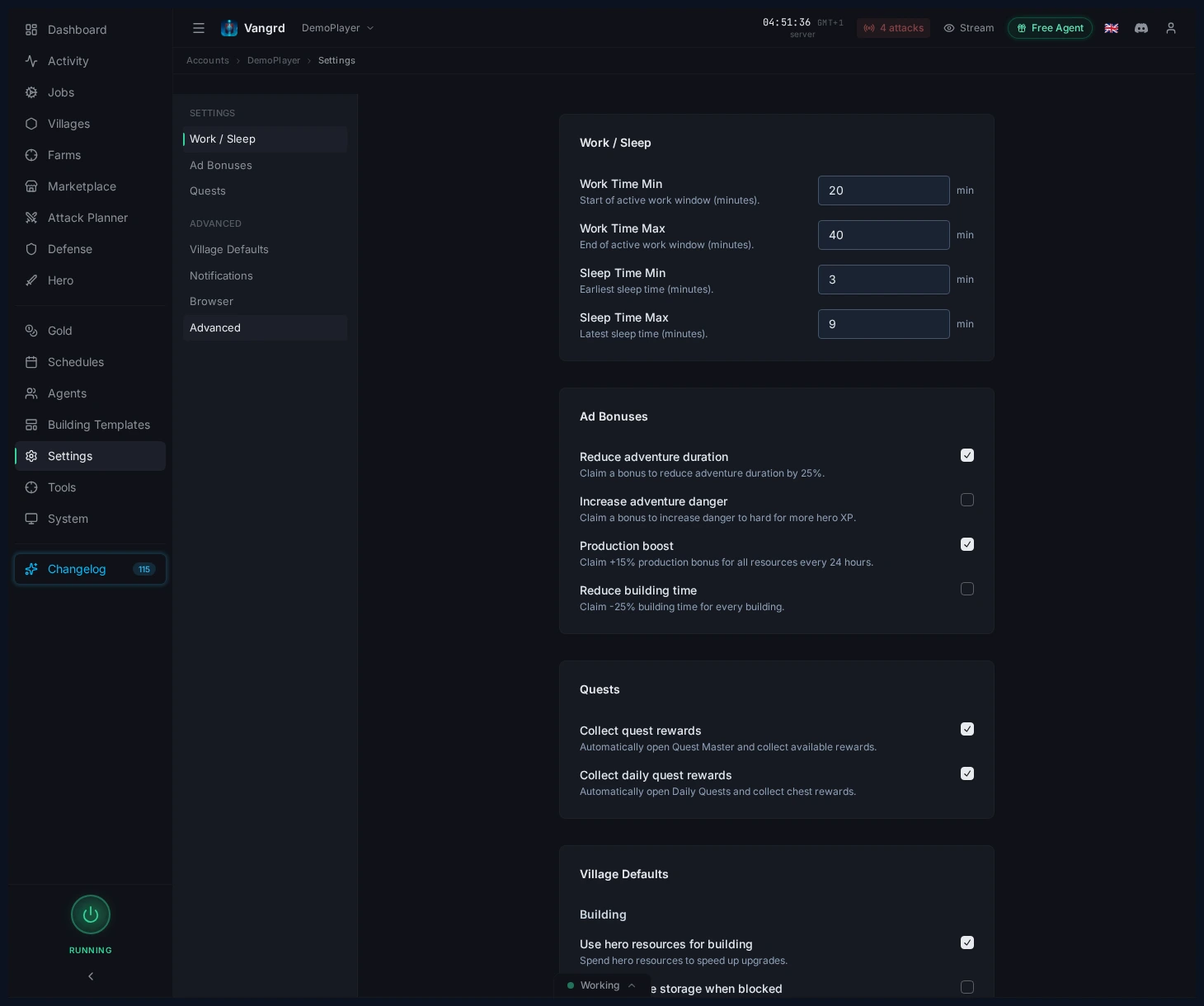
Use NPC for buildingslets the build queue trigger NPC trades.NPC max uses per hourcaps gold spend across the whole account.Shipments max per hourlimits merchant traffic to a safe rate.
Make the economy layers work together
A stable setup works in layers:
- Feeders hold a local floor via
Keep resources. - Surplus ships to the target village on a repeat interval.
- The target village runs
Auto NPCto correct the resource mix. Crop deficit NPCcatches starvation emergencies only.- Keep crop reserves high enough that building and training never starve the village.
For queue support, pair this with the Building Queue guide. For broader account setup, see Getting Started.
עוד מדריכים
Travian Attack Planner: Schedule Coordinated Multi-Wave Attacks
Pick a source village, set Send At or Lands At timing, queue waves, and manage pending attack plans in Vangrd.
Travian Settler Bot: Auto-Train Settlers and Found New Villages
Configure settler training, Residence support, and settlement coordinates in Vangrd's village automation.
Travian Defense Bot: Attack Alerts and Village Response Rules
Watch incoming attacks, configure per-village responses, and wire notifications from Vangrd's defense automation.