Travian Farm Bot: Automate Farm Lists, Raids, and Oasis Clearing
Farm Lists is the control room
Manage all your farm lists, pacing, and clearing rules from Farms > Farm Lists.
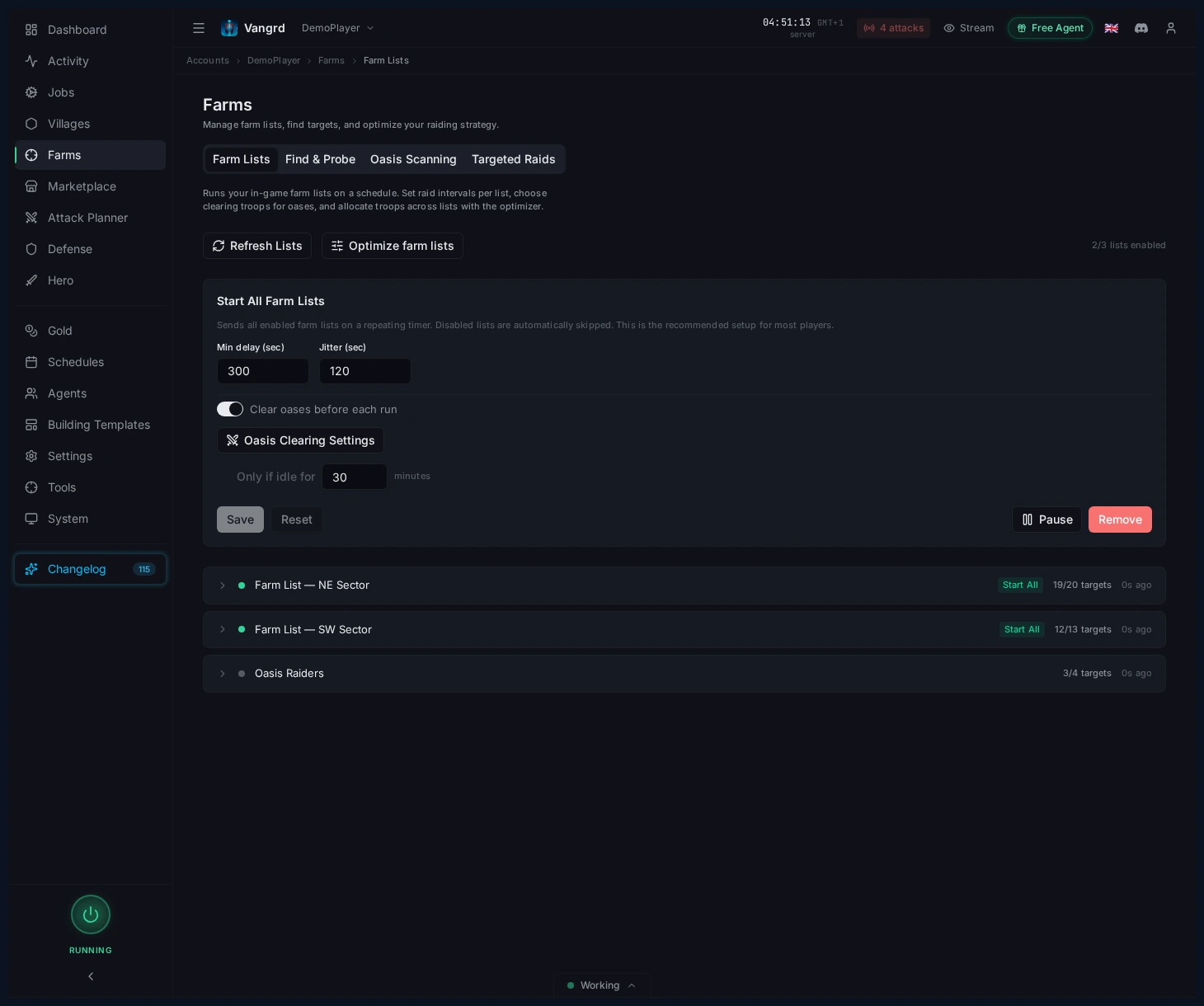
Start Alllaunches every enabled list at once.- Give individual lists their own pacing when they need to run on a different cycle.
- Scan lists before optimizing so Vangrd has fresh target data.
Pace Start All and per-list jobs
Control how often Vangrd sends your raids at both the account and list level.
Min delaysets the shortest gap between runs.Jitteradds variation so raids don't fire at exact intervals.Clear oases before startclears oases automatically each cycle.- Per-list jobs let one list run faster or slower than the rest.
Tip: Use
Start Allas your default and only add per-list schedules for exceptions.
Expand a list to manage targets
Click any list to manage its targets and settings.
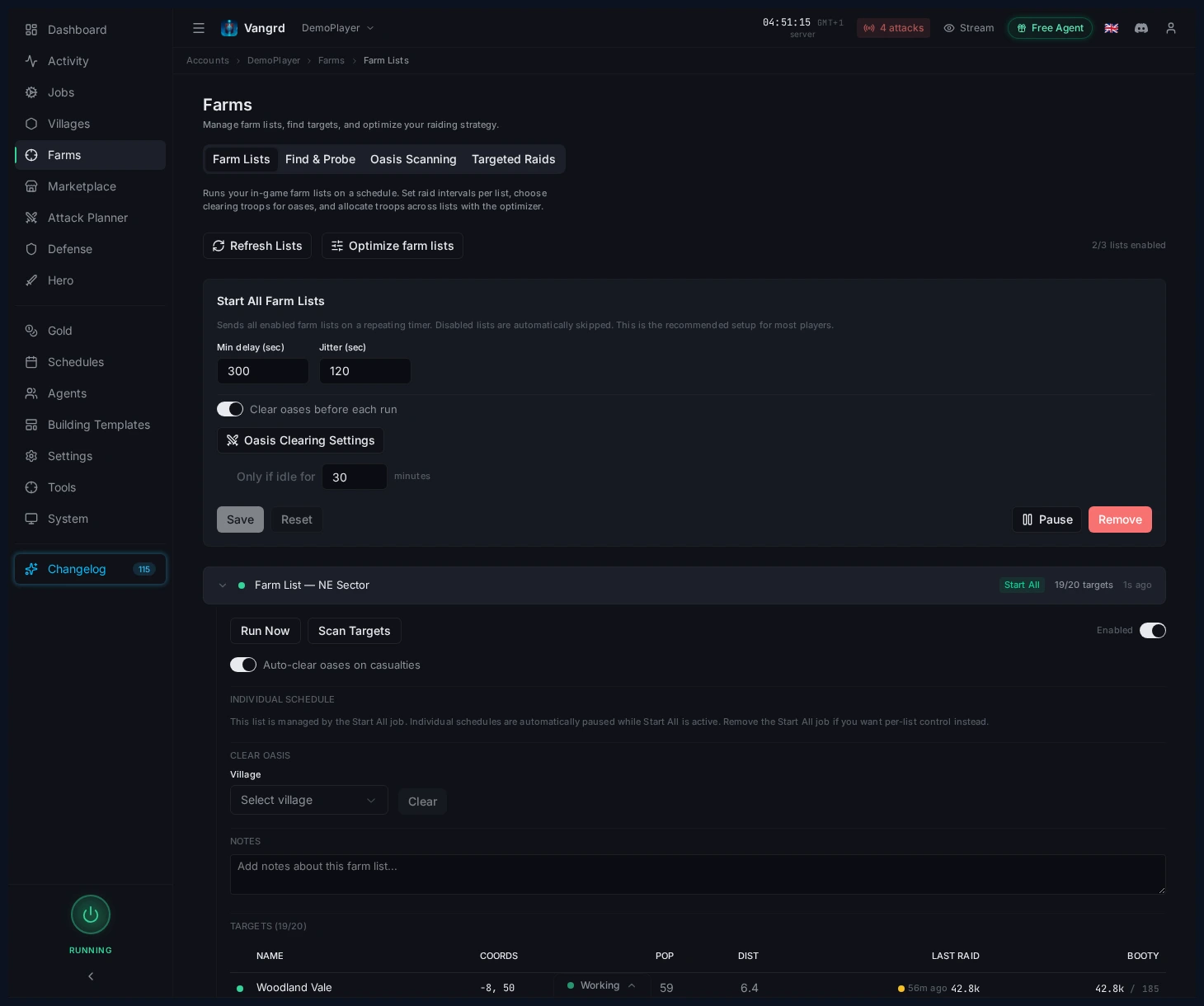
Run Nowfires the list immediately.Scan Targetsrefreshes targets from the in-game farm list.Enabledtoggles whether the list runs during automated cycles.Auto-clear oases on casualtiesre-clears oases after bad reports.Noteslabels the list for quick identification (sector, distance, wave type).
Set oasis clearing rules
Configure which troops clear oases, how much they can spend, and when to skip unprofitable targets.
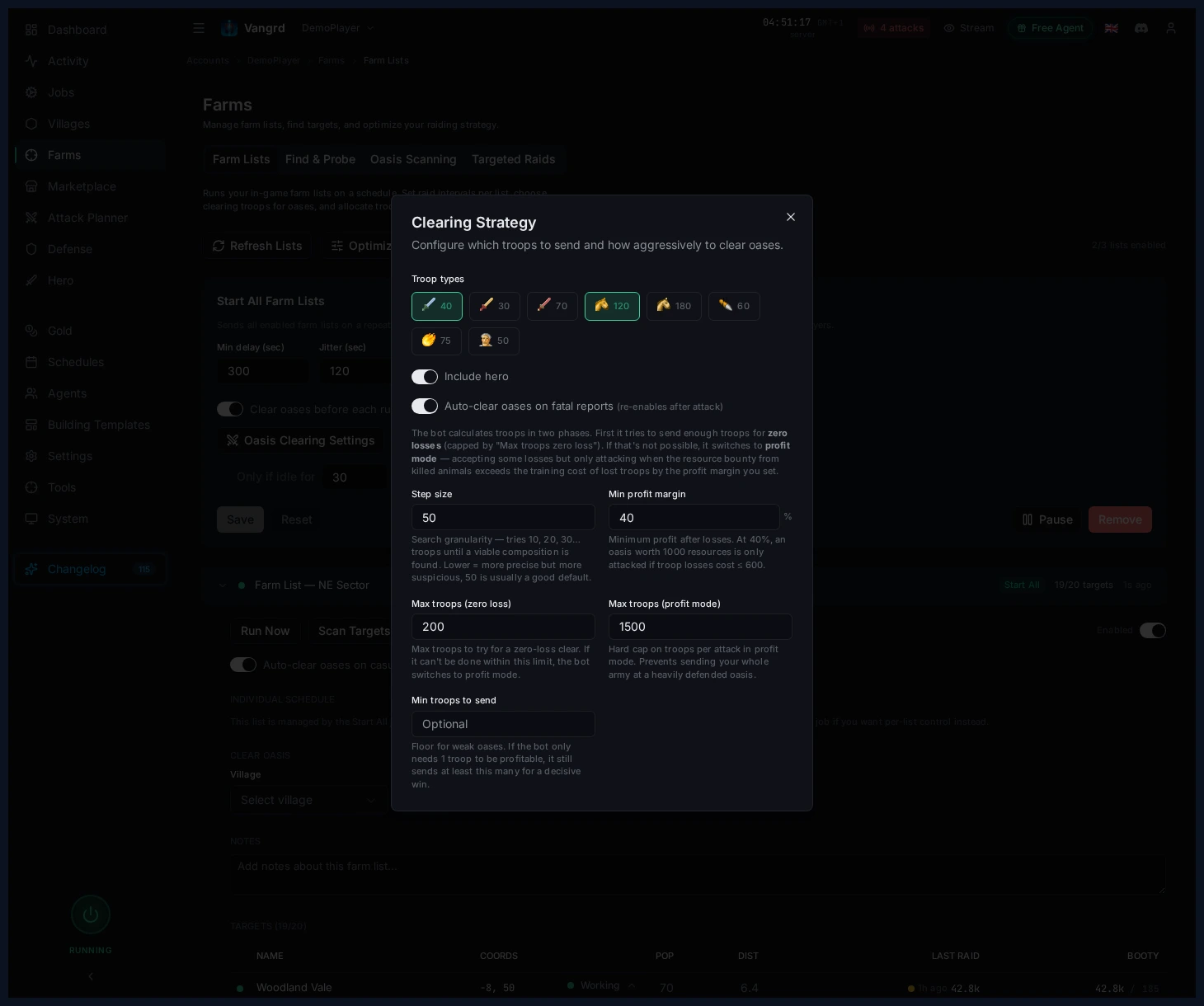
- Pick which troops Vangrd sends for clearing.
- Include the hero when the village can spare it.
- Cap troop spending for zero-loss and profit-mode clears separately.
- Set a profit margin to skip weak or costly oases.
- Enable
Auto-clear oases on casualtiesfor lists with many oasis targets.
Scan and add oases in bulk
Find and add nearby oases to your farm lists in bulk via Oasis Farming.
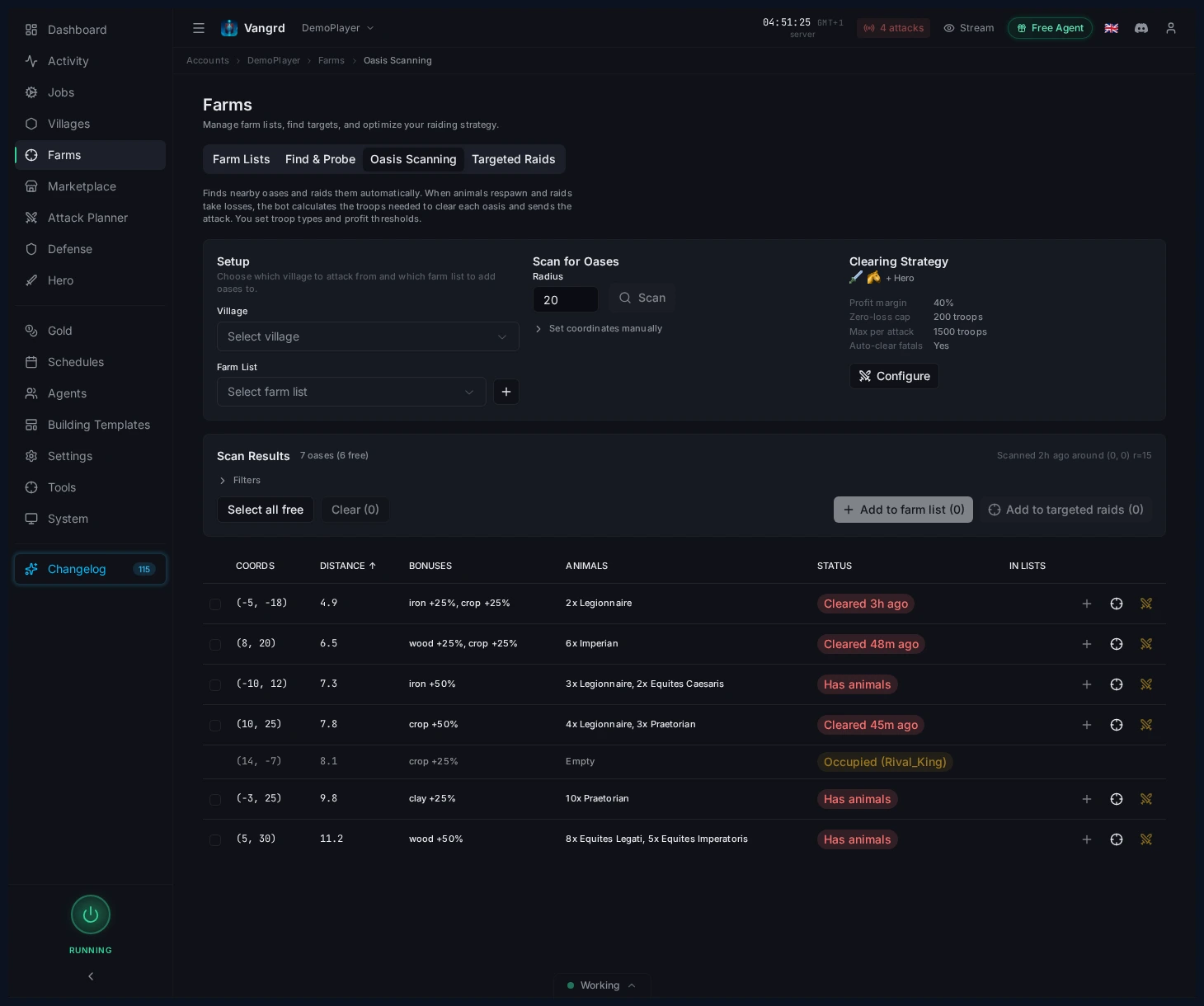
- Choose a source village and destination farm list.
- Scan a radius matching the travel time you want to farm.
- Filter by status: cleared, occupied, or animal-filled.
- Add valid oases to the selected list in one click.
For yield-based cleanup after scanning, continue with the Farm Optimizer guide. New accounts should start with Getting Started.
مزيد من الأدلة
Travian Attack Planner: Schedule Coordinated Multi-Wave Attacks
Pick a source village, set Send At or Lands At timing, queue waves, and manage pending attack plans in Vangrd.
Travian Settler Bot: Auto-Train Settlers and Found New Villages
Configure settler training, Residence support, and settlement coordinates in Vangrd's village automation.
Travian Defense Bot: Attack Alerts and Village Response Rules
Watch incoming attacks, configure per-village responses, and wire notifications from Vangrd's defense automation.