Pianificazioni del bot Travian: Natural, Fixed, agenti e sicurezza
Scegli Natural o Fixed
La pagina Schedules offre due modalità. Scegline una per account.
- Natural pianifica nuovi orari di sessione per ogni giorno. I nuovi account iniziano qui.
- Fixed ripete la stessa griglia settimanale ogni settimana.
Cambiare modalità non elimina l'altra. La griglia Fixed che hai dipinto resta dov'è mentre Natural è attiva, quindi puoi tornare indietro in qualsiasi momento.
Come funzionano le sessioni Natural
Natural costruisce ogni giorno dal fuso orario proprio dell'agente.
- Ogni agente gioca due o tre sessioni al giorno, per quattro-otto ore totali.
- Le sessioni cambiano ora di inizio e durata da un giorno al successivo.
- In ogni 24 ore c'è un blocco di sonno lungo, e la sua ora di inizio si sposta.
- Pause brevi separano le sessioni.
- Alcuni giorni hanno un vuoto in cui l'account non gioca affatto.
Con più di un agente, Vangrd distribuisce gli agenti durante la giornata e impedisce che le loro sessioni si sovrappongano.
Suggerimento: Premi
Try another patternper pianificare una settimana diversa dalle stesse impostazioni.
Leggi l'anteprima di sette giorni
L'anteprima mostra un giorno alla volta. Scorri la settimana con le schede dei giorni.
- Copertura ottenuta è un risultato, non un obiettivo. Sonno, pause e vuoti la riducono, quindi un account sano raramente mostra 100%.
- Copertura media giornaliera sono le ore al giorno in cui l'account è in sessione.
- Periodo di quiete più lungo è l'intervallo più grande senza nessuno che giochi.
- Sovrapposizione è il tempo in cui due agenti sono in sessione insieme. Vangrd la mantiene bassa.
- Prossimo aggiornamento è il giorno in cui il nuovo piano subentra.
Aggiungi un agente per aumentare la copertura. Estendere un agente su più ore non è un'opzione offerta da Natural.
Imposta i limiti degli agenti
I limiti danno forma al piano senza sostituirlo.
Allowed hourslimita la finestra in cui un singolo agente può giocare. Servono almeno quattro ore e mezza.Days offsegna i giorni feriali in cui quell'agente non gioca mai. Lascia libero almeno un giorno.- Ogni agente usa il proprio fuso orario, quindi un sitter all'estero mantiene il proprio orologio.
Premi Use natural schedule per applicare l'anteprima. Il piano inizia il prossimo giorno locale per ciascun agente.
Dipingi finestre settimanali in modalità Fixed
La modalità Fixed ti dà la griglia settimanale. Decidi ogni slot.
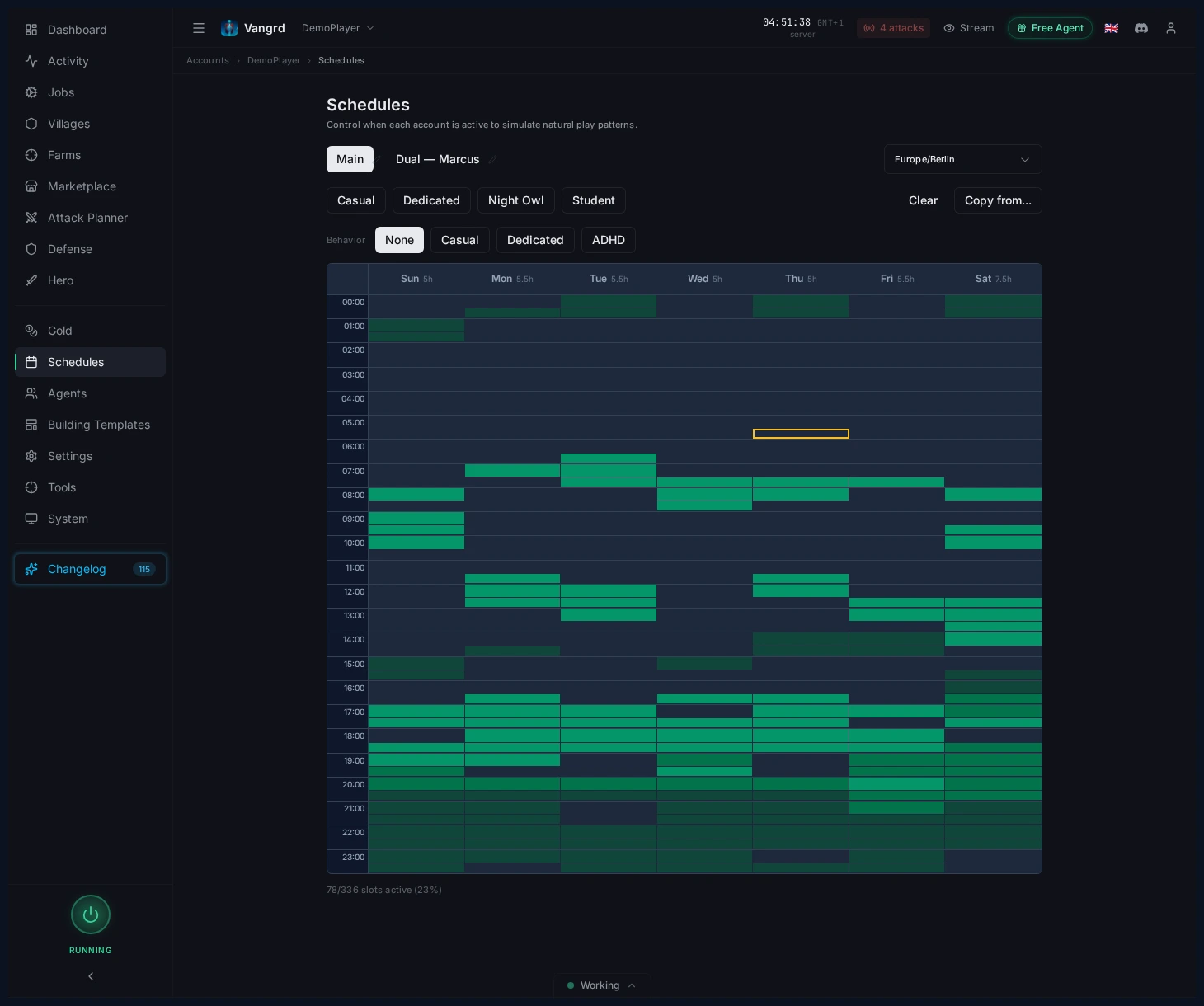
- Imposta un fuso orario prima di dipingere gli slot.
- Usa i pulsanti preset per generare rapidamente una base.
Copy from...clona una pianificazione su altre persone.- Controlla il riepilogo degli slot attivi in fondo alla griglia.
Aggiungi variazione temporale sopra, così i passaggi non sono esatti:
- I preset
Behaviorapplicano profili di tempo comuni con un clic. Jitter (min)sposta il tempo esatto del passaggio.Early arrivaleOverstayammorbidiscono i bordi netti attorno ai confini degli slot.
Coordina agenti e passaggi
Agents & Sitters ti permette di vedere chi controlla l'account e intervenire manualmente nelle sessioni.
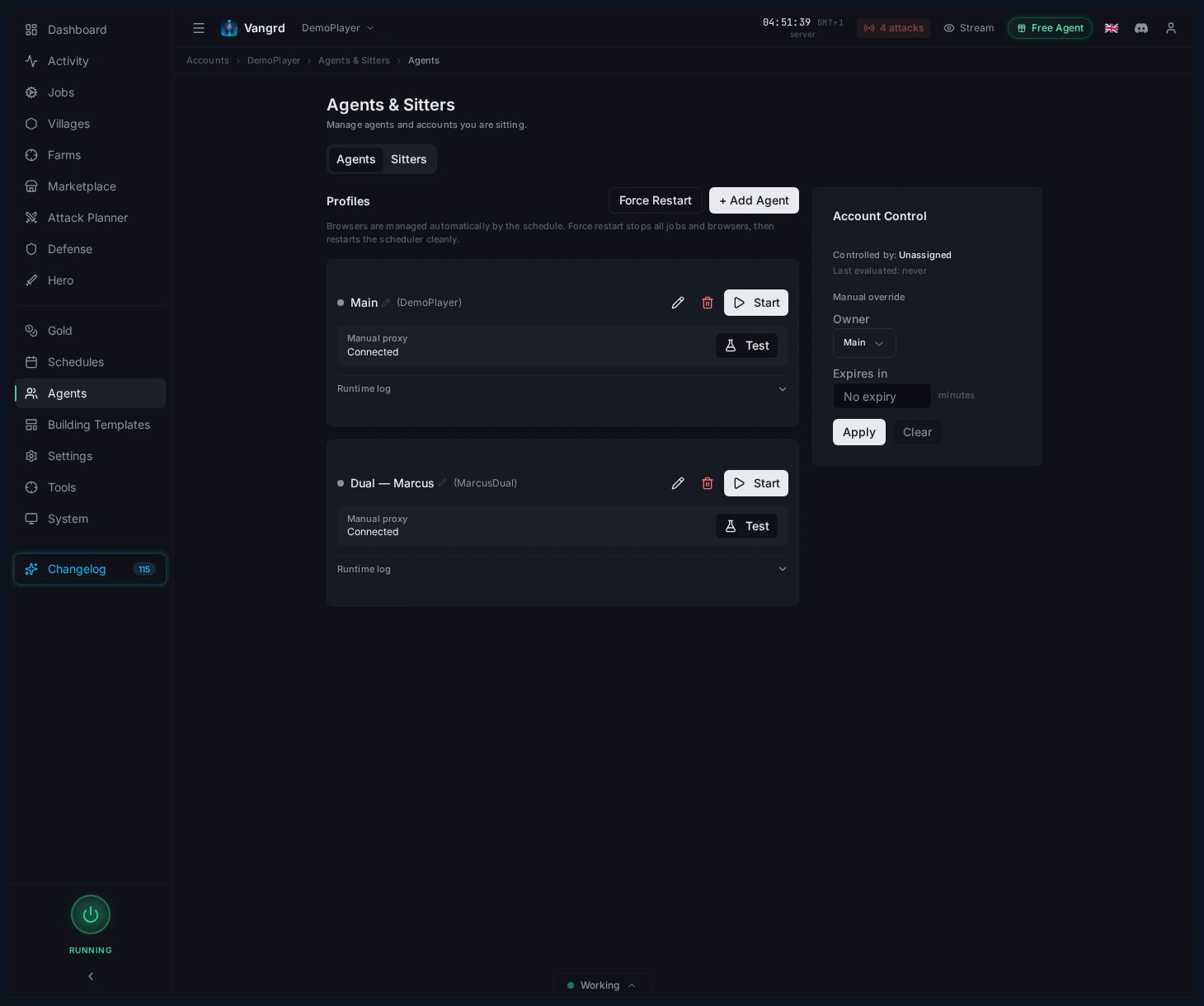
- Vedi quale agente controlla l'account.
- Controlla quali agenti sono in pianificazione, in attesa o offline.
- Avvia e arresta sessioni agente manualmente.
- Controlla lo stato dell'agente -- un agente instabile sembra molto simile a una pianificazione rotta.
Un agente può servire più account. La sua pianificazione appartiene all'agente, non all'account, quindi un cambio di modalità lo segue ovunque. Vangrd nomina gli altri account prima di applicare la modifica.
Allinea impostazioni di browser e automazione
Configura l'impronta del browser e i pattern di interazione per ciascun account.
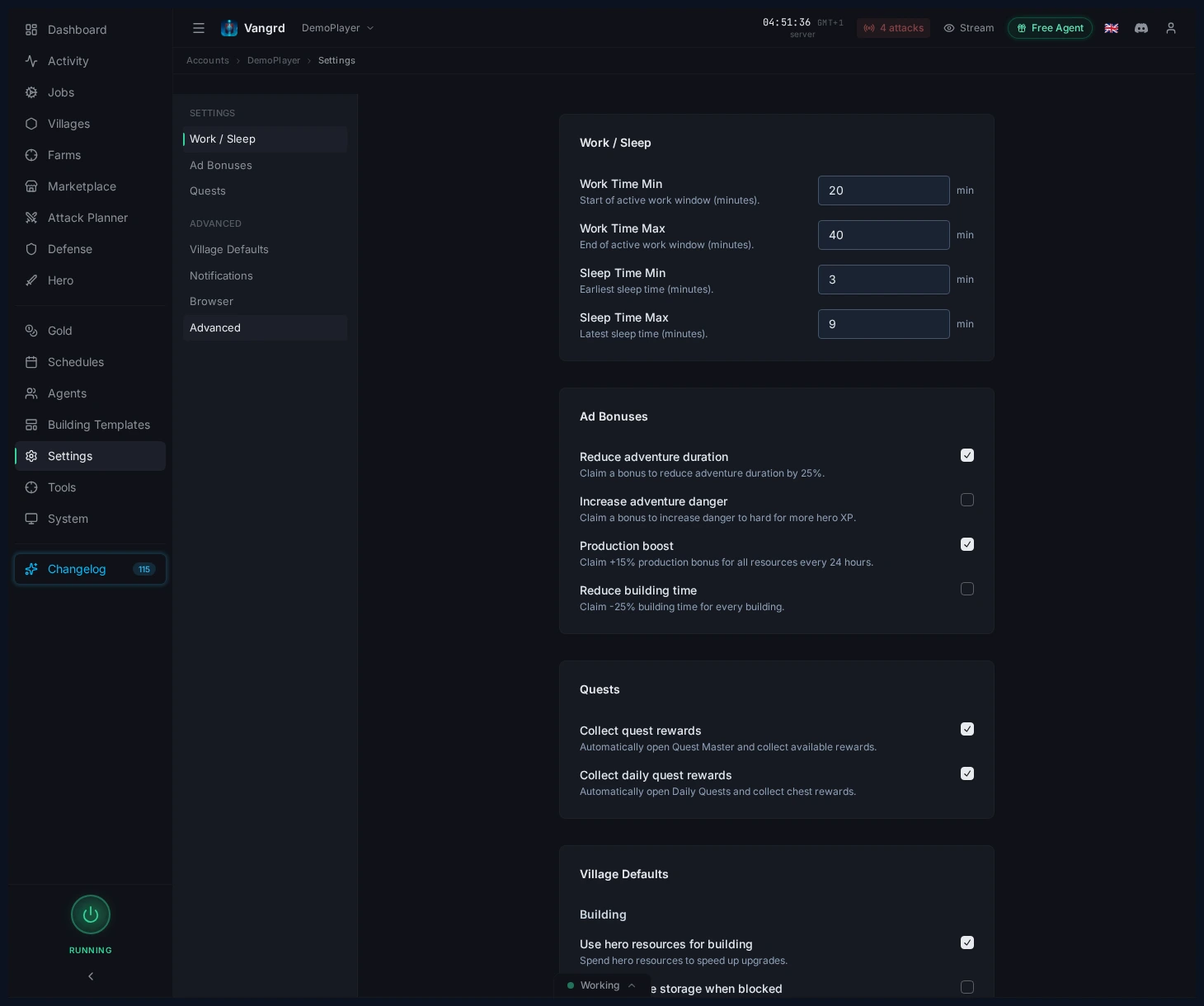
Screen size,LocaleeTimezoneformano l'impronta del browser dell'account.Game versionmantiene l'automazione allineata con l'interfaccia del server.Mouse movement speedeMouse randomnesscontrollano il ritmo di interazione.Random page visits,Visit intervaleJitteraggiungono navigazione passiva tra le attività.
Per il primo avvio dell'account, usa Primi passi. Se configuri la difesa attorno alle tue pianificazioni, continua con Difesa automatizzata.
Domande frequenti
Qual è la differenza tra pianificazioni Natural e Fixed?
Natural pianifica orari di sessione nuovi per ogni giorno dal fuso orario di ciascun agente, con sonno, pause e qualche giorno libero. Fixed ripete la stessa griglia settimanale che dipingi. I nuovi account iniziano con Natural.
Come controllo quando gioca il bot?
Apri la pagina Schedules e scegli una modalità. In Natural, imposta le ore consentite e i giorni liberi di ciascun agente, poi premi Use natural schedule. In Fixed, imposta il fuso orario e dipingi la griglia settimanale.
Perché l'anteprima mostra vuoti e meno della copertura completa?
Natural mostra la copertura ottenuta, non un obiettivo. Sonno, pause e vuoti irregolari fanno parte del piano, quindi un account con più agenti raramente mostra 100%. Aggiungi un agente se vuoi di più.
Che cosa fanno Agents e Sitters?
Agents & Sitters mostra quale agente controlla l'account ora e quali sono in pianificazione, in attesa o offline. Puoi avviare e arrestare una sessione manualmente da lì.
Perché il mio account resta inattivo durante la sua finestra?
Controlla prima lo stato dell'agente, perché un agente instabile sembra molto simile a una pianificazione rotta. In Natural, controlla anche l'anteprima: una finestra di riposo o un giorno libero è comportamento pianificato, non un guasto.
Quali impostazioni del browser contano?
Screen size, Locale e Timezone formano l'impronta del browser dell'account, e Game version mantiene l'automazione allineata con l'interfaccia del server. Mouse movement speed, Mouse randomness e Random page visits controllano come la sessione si sposta tra le attività.
Vangrd è un Bot Travian che gestisce il tuo account dal cloud, 24/7. Prima di scegliere, consulta il confronto del miglior bot Travian 2026.
Altre guide
Primi passi con Vangrd: collega un account e avvia l'automazione
Aggiungi il tuo account Travian, controlla la dashboard e attiva le tue prime automazioni di costruzione, farm e addestramento in Vangrd.
Stato del bot Travian: guarda cosa fa il tuo bot e perché
Con la pagina Stato di Vangrd vedi cosa esegue ora il tuo bot Travian, cosa viene dopo, perché un job non è partito e cosa ha visto l'agente in un errore.
Come creare flussi di automazione personalizzati in Travian
Concatena azioni, crea diramazioni in base a condizioni e ripeti operazioni sui villaggi, poi esegui la tua automazione con un timer, una pianificazione o su richiesta con i workflow di Vangrd.