Трекер игроков Travian: отслеживайте игроков и находите неактивных
Общие отчёты и досье врагов доступны в разделе разведданные альянса.
Отслеживайте наблюдаемых игроков из одной панели
Добавляйте соперников, ближайшие угрозы и цели для захвата в единый список наблюдения в Tools > Player Tracking.
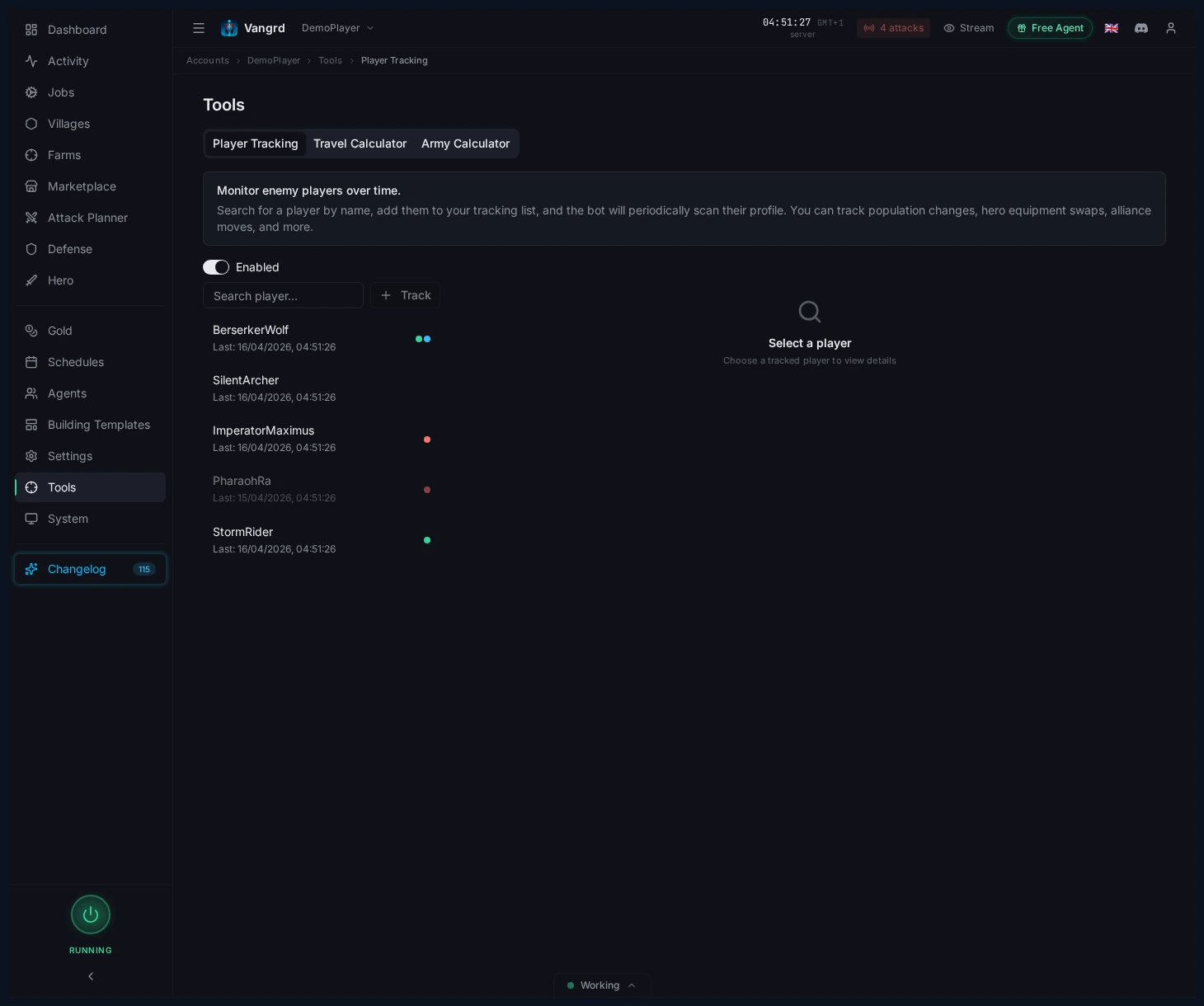
- Помечайте игроков пользовательскими метками для быстрой фильтрации.
- Выберите любого игрока, чтобы изучить полную историю его снимков.
Просматривайте текущий снимок игрока
Выберите игрока, чтобы сразу увидеть карточки статистики, последние изменения и снаряжение героя.
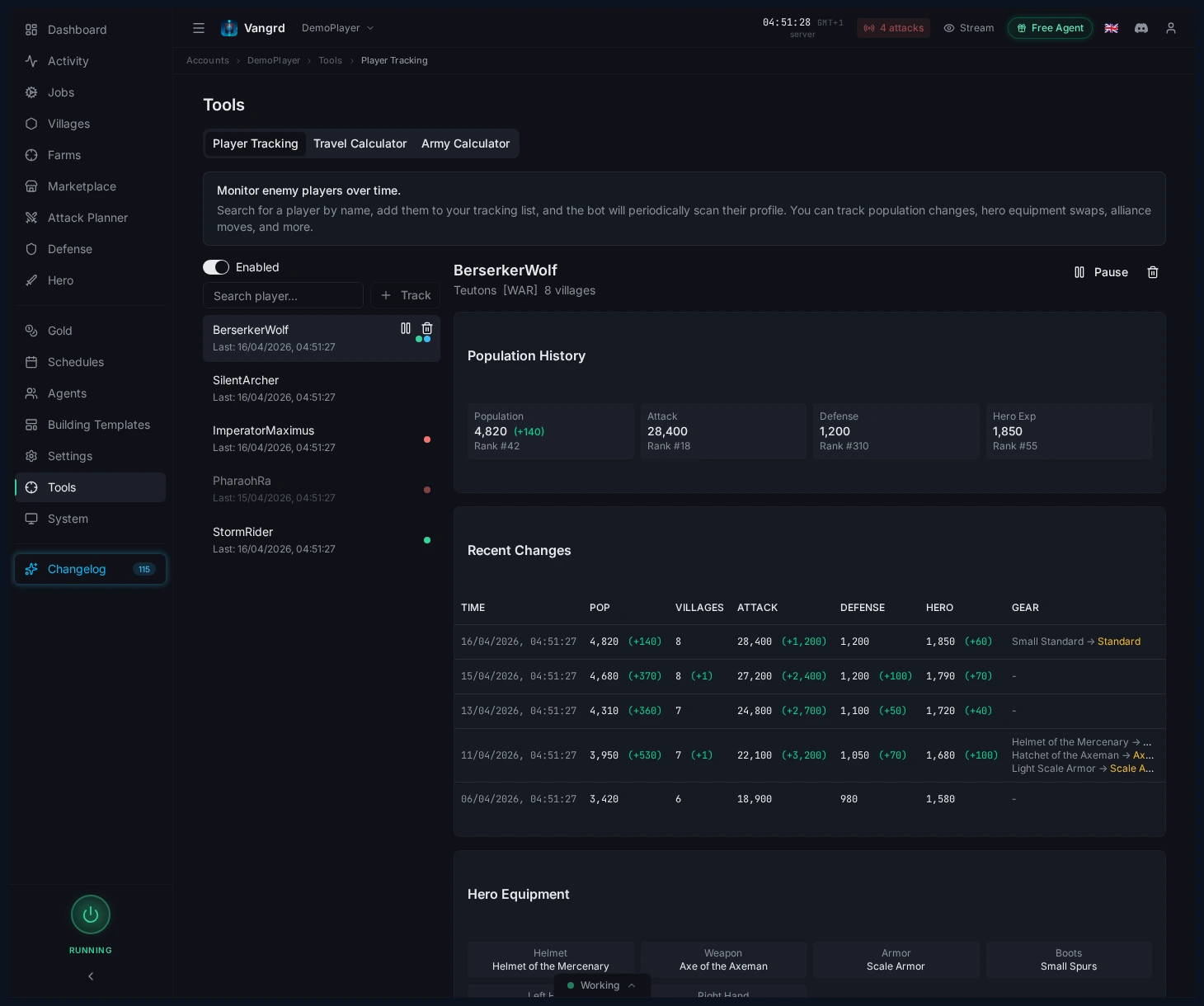
- Следите за
Population,Attack,DefenseиHero exp, чтобы замечать резкие сдвиги. - Проверяйте количество деревень и последние изменения, прежде чем списывать игрока как неактивного.
- Рано замечайте смену оружия героя или экипировки.
Совет: Ровная линия населения в сочетании со свежей экипировкой героя важнее ранга.
Ищите ближайшие деревни с помощью Find and Probe
Ищите на карте неактивных игроков и цели для разведки с помощью Find & Probe.
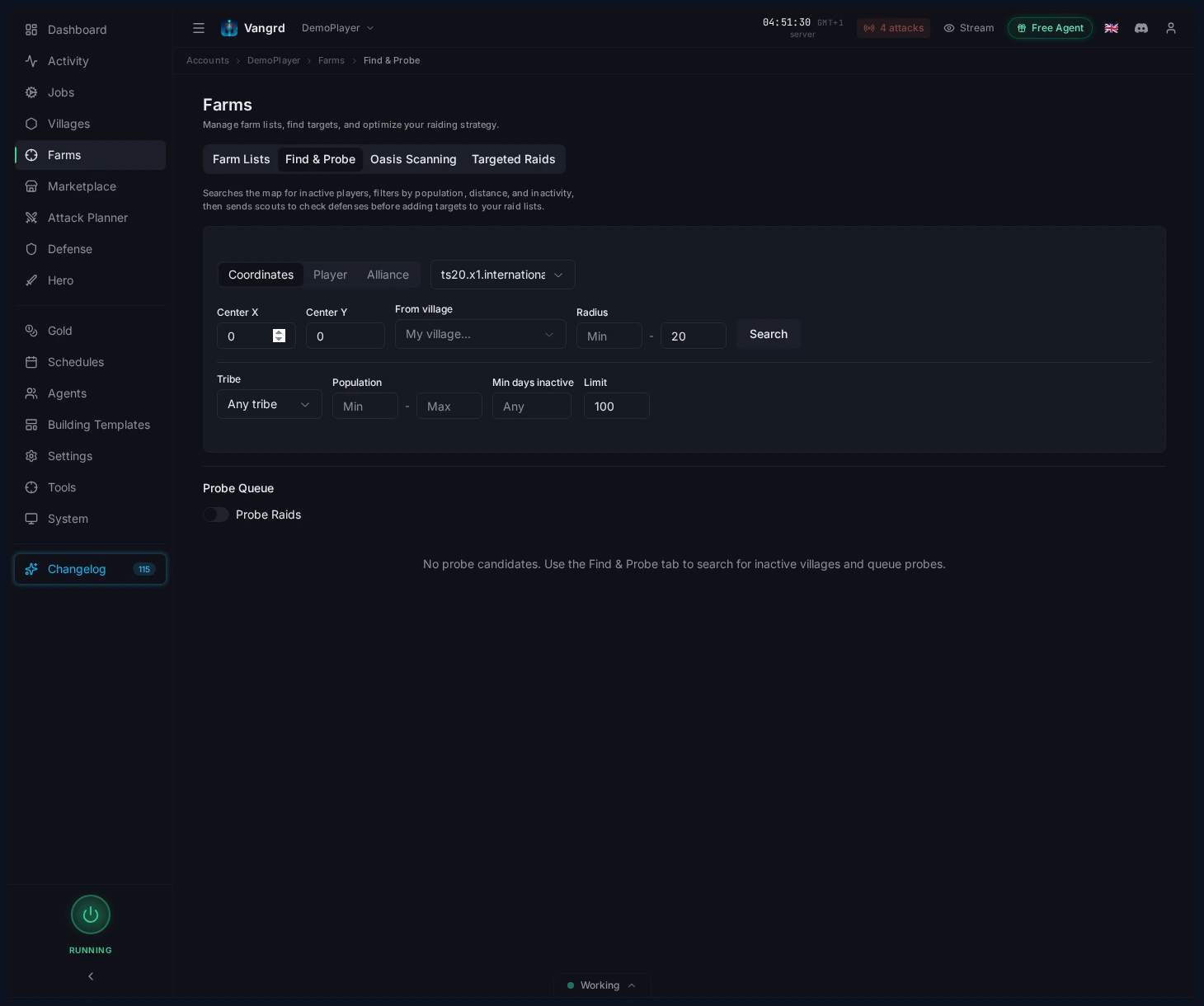
- Ищите по
coordinates,playerилиalliance. - Фильтруйте по радиусу, племени, населению и неактивности.
- Составляйте точный короткий список деревень, которые стоит разведать.
Ставьте разведку в очередь и продвигайте хорошие цели
- Отправляйте перспективные деревни в очередь разведки.
- Просматривайте очередь перед отправкой разведчиков.
- Продвигайте безопасные цели прямо в свой процесс рейдов.
Для автоматических рейдов после разведки продолжайте с руководством по автоматизации Farm List. Новым пользователям стоит начать с Getting Started.
Частые вопросы
Как начать отслеживать игрока Travian?
Откройте Tools > Player Tracking и добавьте игрока в список наблюдения. Ставьте свои метки, чтобы соперники, соседи и цели для захвата легко разделялись.
Что Vangrd записывает об отслеживаемом игроке?
Он периодически пересканирует профиль и хранит каждый скан как снимок с населением, рейтингами атаки и обороны, опытом героя, числом деревень, альянсом и снаряжением героя. Выберите игрока, чтобы просмотреть историю.
Как понять, что игрок неактивен?
Ищите ровную линию населения на нескольких снимках, затем проверьте число деревень и последние изменения, прежде чем списывать игрока. Свежее снаряжение героя на тихом аккаунте обычно значит, что кто-то всё ещё заходит.
Как найти неактивные деревни рядом?
Используйте Find & Probe. Ищите по координатам, игроку или альянсу, затем фильтруйте по радиусу, народу, населению и неактивности, чтобы собрать короткий список целей для разведки.
Что делать после разведки цели?
Отправьте подходящие деревни в очередь разведки и просмотрите её перед выходом скаутов. Безопасные цели переносятся сразу в ваш поток набегов.
Vangrd: Бот для Travian, который управляет вашим аккаунтом в облаке (облако, 24/7). Перед выбором посмотрите сравнение лучших ботов для Travian 2026.
Другие руководства
Фарм оазисов Travian: зачистка, набеги и опыт героя
Настройте фарм оазисов Travian: найдите ближайшие оазисы, безопасно зачистите животных, отправляйте набеги после их возрождения и развивайте героя.
Бот защиты Travian: автоувод войск, подкрепления и оповещения об атаках
Настройте защиту Travian по деревням и угрозам: автоувод, подкрепления, расход или отправку ресурсов и оповещения Discord или Telegram.
Автостроитель Travian: автоматизация очередей строительства и улучшений
Настройте планы строительства деревень, настройки по умолчанию для аккаунта, многоразовые шаблоны и применение шаблонов в строительной автоматизации Vangrd.